


Windows Server 2008 CALs FAQs
Windows Server 2008 was one of Microsoft’s most widely adopted server operating systems, providing organizations with enhanced security, virtualization capabilities, networking improvements, and centralized management tools. Although Windows Server 2008 and Windows Server 2008 R2 have reached end of support, many organizations still maintain legacy systems that rely on these platforms.
One of the most commonly misunderstood aspects of Windows Server licensing is the concept of Client Access Licenses (CALs). Organizations deploying Windows Server 2008 often need to understand how CALs work, when they are required, and what types of licenses are available.
This guide answers the most frequently asked questions about Windows Server 2008 CALs and explains the key licensing concepts businesses and IT administrators should know.
What Is a Windows Server CAL?
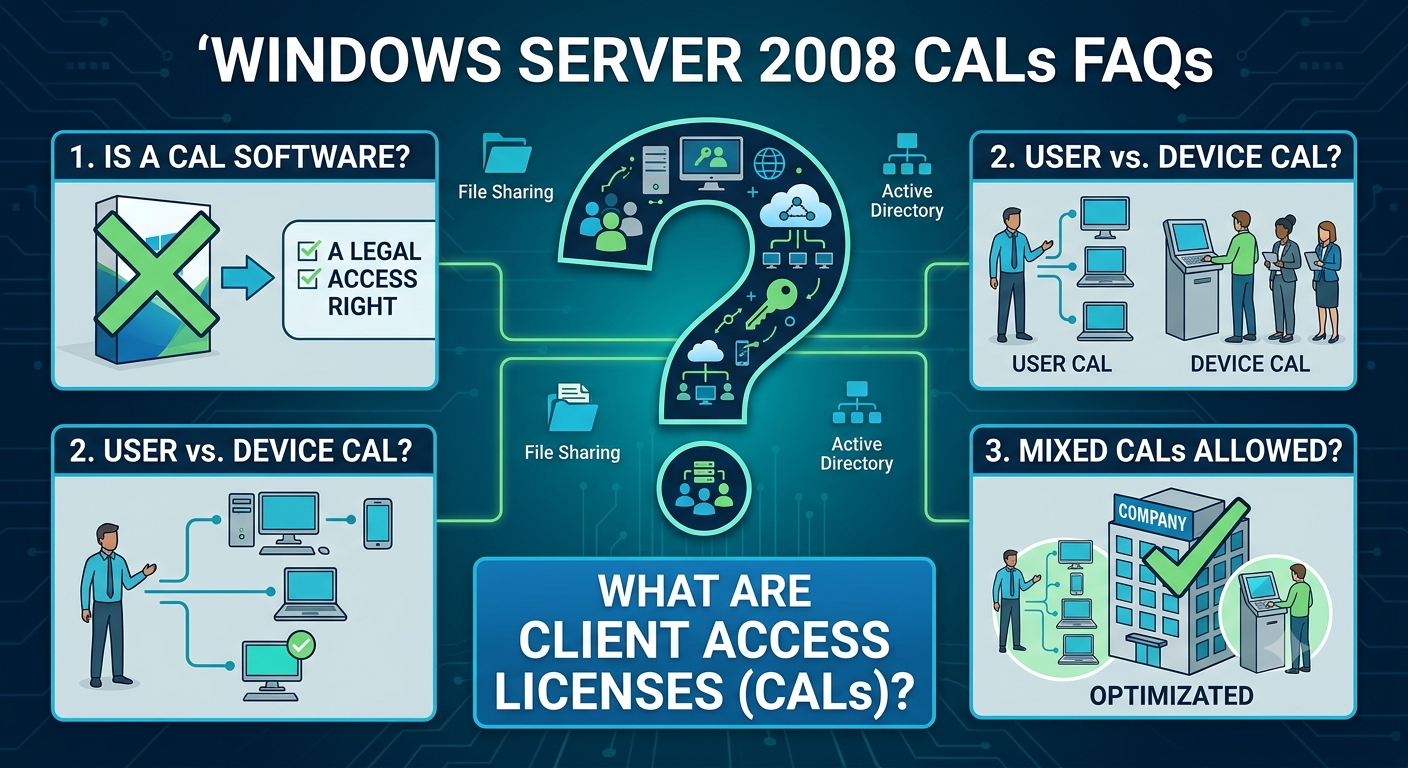
A Client Access License (CAL) is a license that grants a user or device the legal right to access services provided by a Windows Server.
It is important to understand that a CAL is not software. Instead, it is a licensing right that allows access to server resources.
Examples of Server Resources
Users may access:
- File sharing services
- Print services
- Active Directory
- Authentication services
- Network resources
- Business applications hosted on the server
Without the appropriate CALs, organizations may not be properly licensed according to Microsoft’s licensing requirements.
Why Are CALs Required?
Microsoft separates server licenses from access licenses.
Two-Part Licensing Model
Organizations typically require:
- A Windows Server license
- Appropriate CALs for users or devices accessing the server
This licensing model allows businesses to scale access rights according to their needs.
For example, purchasing a Windows Server 2008 license alone does not automatically grant unlimited access to employees or devices.
What Types of CALs Are Available?
Windows Server 2008 generally supports two primary CAL types.
User CALs
A User CAL permits one specific user to access the server from multiple devices.
Examples include:
- Desktop computers
- Laptops
- Tablets
- Smartphones
When User CALs Are Best
User CALs are often preferred when:
- Employees use multiple devices
- Staff work remotely
- Mobile access is common
Organizations with flexible work environments often find User CALs more cost-effective.
Device CALs
A Device CAL permits one specific device to access the server regardless of how many users utilize that device.
Examples include:
- Shared workstations
- Point-of-sale terminals
- Kiosk computers
When Device CALs Are Best
Device CALs are typically advantageous when:
- Multiple employees share computers
- Shift workers use the same workstation
- Public terminals are deployed
Choosing between User CALs and Device CALs depends largely on how employees access server resources.
Can User CALs and Device CALs Be Mixed?
Yes.
Organizations can deploy a combination of User CALs and Device CALs if it aligns with their operational needs.
Example Scenario
A company may use:
- User CALs for office employees
- Device CALs for shared manufacturing terminals
This mixed approach allows organizations to optimize licensing costs.
How Many CALs Are Required?
The number of CALs required depends on the number of users or devices accessing the server.
Example: User CAL Environment
If:
- 50 employees access the server
Then:
- 50 User CALs are required
Example: Device CAL Environment
If:
- 30 shared workstations access the server
Then:
- 30 Device CALs are required
The calculation is based on whichever licensing model the organization chooses.
Are CALs Included with Windows Server 2008?
Typically, Windows Server licenses and CALs are sold separately.
While some licensing agreements or bundled packages may include CALs, organizations should verify their specific licensing documentation.
Important Consideration
Purchasing the server operating system alone generally does not provide sufficient licensing for all users or devices.
Always review the terms of the license agreement before deployment.
What Is a Terminal Services CAL?
In addition to standard Windows Server CALs, some scenarios require additional licenses.
Terminal Services CAL (TS CAL)
A TS CAL allows users or devices to access Remote Desktop Services (formerly Terminal Services).
Common Uses
- Remote desktops
- Virtual desktops
- Application hosting
- Remote administration
Organizations using remote access solutions often need both:
- Windows Server CALs
- Terminal Services CALs
Are Standard CALs Enough for Remote Desktop Access?
In most cases, no.
Standard Windows Server CALs provide access to core server functionality but do not generally grant rights for full Remote Desktop Services usage.
Additional Licensing Requirements
Remote Desktop Services typically require:
- Windows Server CAL
- Remote Desktop Services CAL
Organizations should carefully assess their remote access requirements.
Do External Users Need CALs?
This depends on the licensing model.
External Users
External users include:
- Customers
- Vendors
- Business partners
Organizations may choose alternative licensing options such as:
- External Connector licenses
These licenses can sometimes simplify licensing for large numbers of non-employee users.
Licensing requirements vary depending on usage scenarios.
Can CALs Be Reassigned?
Microsoft licensing rules generally allow reassignment under specific conditions.
Examples
A User CAL may be reassigned if:
- An employee leaves the company
- Job roles change
However, frequent reassignment is typically restricted.
Organizations should review Microsoft’s licensing documentation for exact rules.
Do CALs Expire?
Generally, perpetual CALs do not expire.
Once purchased, they remain valid for the applicable server version according to licensing terms.
However, support status and software lifecycle policies may affect practical usage.
Can Windows Server 2008 CALs Be Used with Newer Server Versions?
Typically, no.
Version Compatibility
Windows Server CALs are generally version-specific.
For example:
- Windows Server 2008 CALs are intended for Windows Server 2008 environments.
Newer versions often require newer CALs.
Organizations planning upgrades should review licensing requirements before deployment.
Can Newer CALs Access Older Servers?
In many cases, newer CAL versions provide downgrade rights.
Example
A newer Windows Server CAL may allow access to older Windows Server installations.
However, rights vary by licensing agreement and edition.
Always verify licensing details before relying on downgrade rights.
What Happens If an Organization Does Not Have Enough CALs?
Insufficient licensing can create compliance issues.
Potential Risks
- Licensing audits
- Financial penalties
- Additional licensing costs
- Legal concerns
Maintaining accurate licensing records is an important part of IT governance.
How Can Organizations Track CAL Usage?
CAL tracking can be challenging, especially in large environments.
Recommended Practices
- Maintain licensing documentation
- Track employee counts
- Monitor device inventories
- Conduct periodic audits
Good recordkeeping simplifies compliance management.
What Is the Difference Between CALs and Server Licenses?
This is one of the most common licensing questions.
Server License
Authorizes installation and operation of Windows Server software.
CAL
Authorizes users or devices to access server services.
Both components are often required.
Think of the server license as permission to run the server, while CALs provide permission for users or devices to connect to it.
Are CALs Required for Administrators?
Certain administrative access scenarios may be exempt under Microsoft’s licensing policies.
Remote Administration Exception
Microsoft historically allowed limited administrative connections for server management purposes.
However, this exemption does not generally extend to normal business usage.
Organizations should carefully review the licensing terms applicable to their deployment.
What Editions of Windows Server 2008 Use CALs?
Windows Server 2008 was available in multiple editions.
Common Editions
- Standard
- Enterprise
- Datacenter
- Web Server
Most editions require CALs for user or device access.
Web Server Edition
Some editions had different licensing structures depending on intended use.
Review product-specific licensing documentation for accurate guidance.
Should Organizations Still Use Windows Server 2008?
Microsoft ended extended support for Windows Server 2008 and Windows Server 2008 R2 in January 2020.
Risks of Continuing Use
- No security updates
- Increased cybersecurity exposure
- Software compatibility issues
- Regulatory compliance concerns
Organizations should consider upgrading to supported server platforms whenever possible.
Migration Considerations
Businesses still running Windows Server 2008 should evaluate migration strategies.
Benefits of Upgrading
- Improved security
- Enhanced performance
- Better virtualization support
- Modern management tools
- Continued Microsoft support
Migration planning can help reduce long-term operational risks.
Best Practices for Windows Server Licensing
Maintain Accurate Records
Keep copies of:
- License agreements
- Purchase receipts
- Volume licensing documentation
Perform Regular Audits
Review:
- User counts
- Device inventories
- Access requirements
Plan for Growth
Ensure licensing remains adequate as the organization expands.
Review Licensing Changes
Microsoft licensing programs evolve over time, so staying informed is important.
Frequently Asked Questions Summary
Do I Need CALs for Windows Server 2008?
Yes, in most scenarios.
Should I Choose User CALs or Device CALs?
Choose based on how users access server resources.
Do Remote Desktop Users Need Additional Licenses?
Usually yes, through Remote Desktop Services CALs.
Can CALs Be Shared?
No, CALs are assigned according to licensing rules.
Are Windows Server 2008 CALs Valid for Newer Servers?
Generally no, newer server versions typically require newer CALs.
Final Thoughts
Understanding Windows Server 2008 CALs is essential for maintaining proper licensing compliance and avoiding unexpected costs. CALs determine how users and devices legally access server resources, making them a fundamental component of Microsoft’s server licensing model.