


Understanding Windows Server 2012 Licensing: FAQ and Answers
Windows Server 2012 was one of Microsoft’s most important server operating systems, offering improved virtualization, storage management, networking, and cloud integration features for businesses of all sizes. Even though newer versions of Windows Server are now available, many organizations still use Windows Server 2012 and Windows Server 2012 R2 in production environments.
One of the areas that often causes confusion for administrators and businesses is licensing. Microsoft licensing rules can appear complex, especially when dealing with editions, Client Access Licenses (CALs), virtualization rights, and upgrade paths.
Understanding how Windows Server 2012 licensing works is important for maintaining legal compliance, avoiding unexpected costs, and ensuring the server environment operates correctly.
This guide answers the most frequently asked questions about Windows Server 2012 licensing in a simplified and easy-to-understand format.
What Is Windows Server 2012?
Windows Server 2012 is a server operating system developed by Microsoft and released in 2012. It introduced several enterprise features including:
- Hyper-V improvements
- Storage Spaces
- Server Manager enhancements
- SMB 3.0
- Dynamic Access Control
- PowerShell automation features
Microsoft later released Windows Server 2012 R2 with additional improvements and better cloud integration.
What Editions of Windows Server 2012 Are Available?
Windows Server 2012 was released in several editions designed for different business needs.
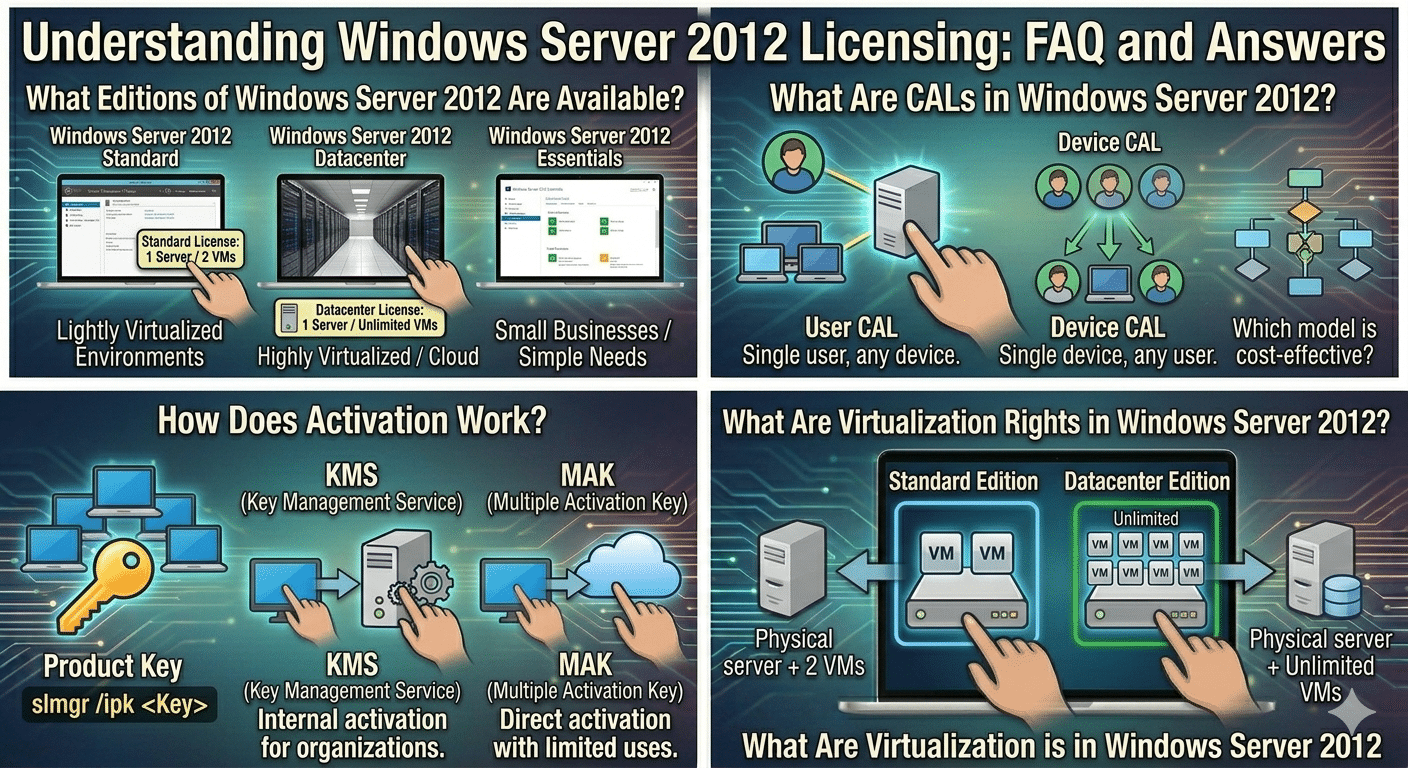
Windows Server 2012 Standard
The Standard edition is suitable for physical or lightly virtualized environments.
Features
- Full Windows Server functionality
- Hyper-V virtualization support
- Two virtual instances included per license
Windows Server 2012 Datacenter
The Datacenter edition is intended for highly virtualized environments.
Features
- Unlimited virtual machine rights
- Full enterprise features
- Best for data centers and cloud environments
Windows Server 2012 Essentials
Essentials targets small businesses with simpler requirements.
Features
- Simplified management
- Lower user limits
- No separate CALs required in many cases
What Is a Windows Server License?
A Windows Server license grants legal permission to install and use the operating system according to Microsoft’s terms.
Licensing generally depends on:
- Server edition
- Number of processors or cores
- Number of users or devices
- Virtualization usage
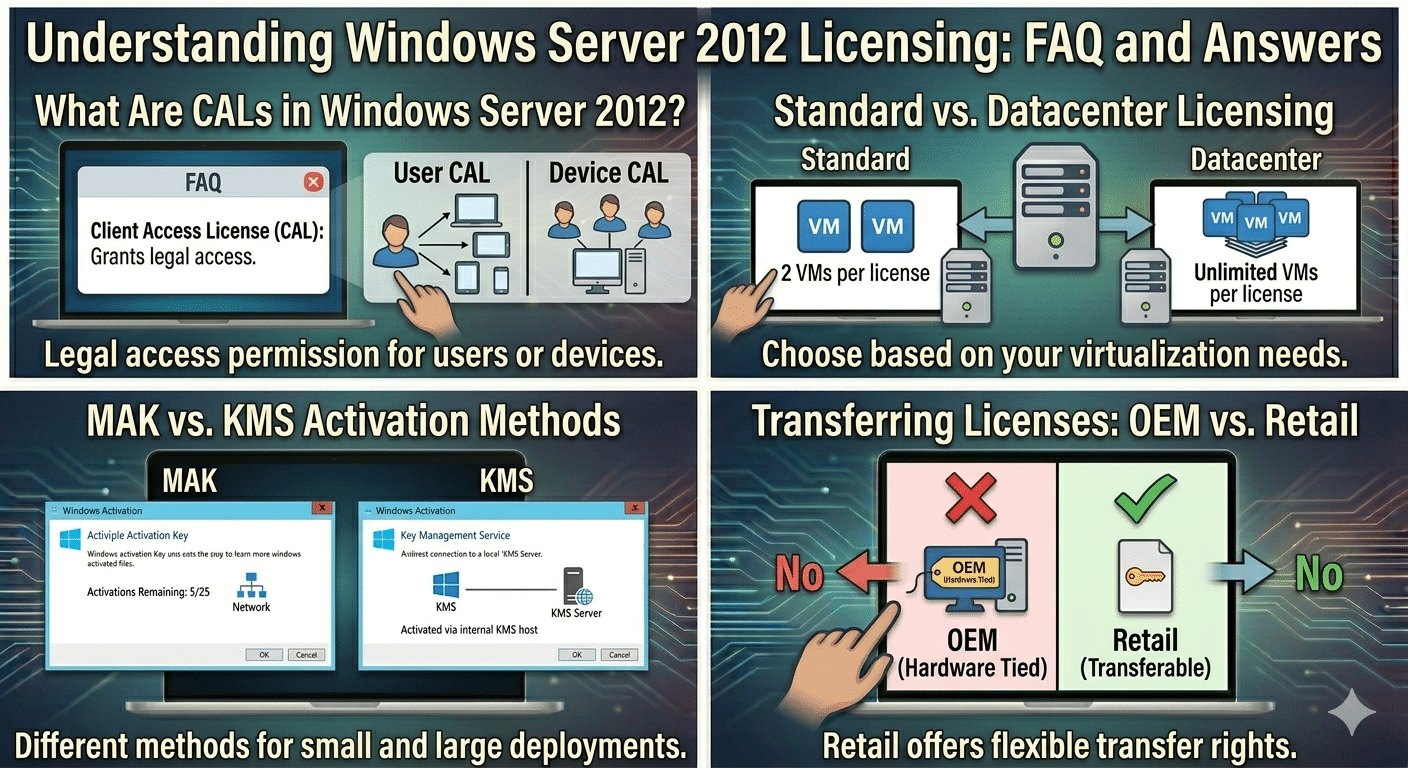
What Are CALs in Windows Server 2012?
CAL stands for:
Client Access LicenseA CAL allows users or devices to access Windows Server services legally.
Types of CALs
User CAL
A User CAL allows one user to access the server from multiple devices.
Device CAL
A Device CAL allows one device to be used by multiple users.
Businesses choose whichever model is more cost-effective.
Does Every User Need a CAL?
In most cases, yes.
If users or devices access services such as:
- File sharing
- Remote Desktop
- Printing
- Authentication
- Applications
they generally require appropriate CALs.
What Is the Difference Between Standard and Datacenter Licensing?
The biggest difference involves virtualization rights.
Standard Edition
- Covers two virtual machines per license
Datacenter Edition
- Allows unlimited virtual machines on the licensed server
Organizations running many VMs usually choose Datacenter.
Can Windows Server 2012 Be Used Without Activation?
Windows Server can sometimes operate temporarily without activation, but functionality and compliance may eventually become limited.
Possible Consequences
- Activation warnings
- Personalization restrictions
- Compliance risks
How Does Activation Work?
Windows Server 2012 can be activated using:
- Product keys
- KMS (Key Management Service)
- MAK (Multiple Activation Key)
What Is KMS Activation?
KMS allows organizations to activate systems internally without each device contacting Microsoft individually.
Commonly Used By
- Large businesses
- Educational institutions
- Enterprise environments
What Is MAK Activation?
MAK uses a limited number of activations directly through Microsoft servers.
Typically Used By
- Small businesses
- Organizations with fewer servers
Does Windows Server 2012 Require Internet Access for Activation?
Not necessarily.
Activation can occur through:
- Internet activation
- Phone activation
- Internal KMS servers
What Happens if Windows Server 2012 Is Not Properly Licensed?
Improper licensing may lead to:
- Compliance violations
- Legal penalties
- Failed audits
- Limited Microsoft support
Can Windows Server 2012 Licenses Be Transferred?
Transfer rights depend on:
- Retail licenses
- OEM licenses
- Volume licenses
OEM Licenses
Usually tied permanently to the original hardware.
Retail Licenses
May sometimes be transferred according to Microsoft terms.
What Is the Difference Between OEM and Retail Licensing?
OEM Licensing
- Preinstalled by hardware manufacturers
- Typically cheaper
- Non-transferable in many cases
Retail Licensing
- Purchased separately
- More flexible transfer rights
Is Windows Server 2012 Still Supported?
Mainstream support for Windows Server 2012 has ended.
Extended support has also ended for many editions.
Possible Risks of Using Unsupported Servers
- Security vulnerabilities
- No bug fixes
- Reduced compatibility
- Compliance concerns
Can Windows Server 2012 Still Receive Security Updates?
Organizations may still obtain limited security updates through:
- Extended Security Updates (ESU) programs
- Third-party security solutions
Availability depends on Microsoft policies.
Can You Upgrade Windows Server 2012 to Newer Versions?
Yes, upgrade paths may exist depending on the edition.
Possible Upgrade Targets
- Windows Server 2016
- Windows Server 2019
- Windows Server 2022
Always verify compatibility before upgrading.
What Are Virtualization Rights in Windows Server 2012?
Licensing determines how many virtual operating system environments may run legally.
Standard Edition
- Two virtual instances per license
Datacenter Edition
- Unlimited virtual instances
Do Hyper-V Virtual Machines Require Separate Licenses?
Usually yes, depending on:
- Number of VMs
- Server edition
- Licensing model used
Proper virtualization licensing is essential for compliance.
Can You Use Windows Server 2012 in a Home Lab?
Yes, many IT professionals use older server versions for:
- Testing
- Learning
- Certification practice
However, licensing terms still apply.
What Is Windows Server Essentials Licensing?
Windows Server Essentials is designed for smaller businesses.
Benefits
- Simplified setup
- Reduced licensing complexity
- Lower user/device limits
Do Remote Desktop Services Require Additional CALs?
Yes.
Using Remote Desktop Services (RDS) generally requires:
- Standard CALs
- Additional RDS CALs
How To Check Windows Server Activation Status
Steps
Open Command Prompt and run:
slmgr /xprThis displays activation status information.
How To View License Information
Run:
slmgr /dlvThis command provides detailed licensing information.
What Happens During a Microsoft License Audit?
Organizations may need to provide:
- Purchase records
- CAL counts
- Activation information
- Deployment details
Maintaining proper documentation is important.
Tips for Managing Windows Server Licensing
To simplify license management:
- Keep purchase records organized
- Track CAL usage carefully
- Document virtualization deployments
- Review Microsoft licensing updates regularly
Should Businesses Upgrade From Windows Server 2012?
Upgrading is often recommended because newer versions provide:
- Improved security
- Better virtualization
- Enhanced performance
- Longer support lifecycles
Final Thoughts
Windows Server 2012 licensing can seem complicated at first, especially when dealing with CALs, virtualization rights, activation methods, and multiple editions. However, understanding the basics helps organizations remain compliant while optimizing server deployments effectively.
Whether using Standard, Datacenter, or Essentials editions, businesses should carefully evaluate their infrastructure needs, virtualization requirements, and licensing obligations before deployment.