


Exploring Excel 2023: Latest Features, Upgrades, and Productivity Improvements
Microsoft Excel continues to be one of the most important productivity applications for individuals, businesses, educators, and data professionals. With every update, Microsoft introduces new features and improvements designed to make data management, analysis, collaboration, and automation easier. In 2023, Excel received several significant enhancements that improved usability, performance, and integration with modern productivity tools.
From advanced data analysis capabilities to improved collaboration features, the latest Excel updates help users work more efficiently and gain deeper insights from their information. Whether you are a beginner or an experienced Excel professional, understanding these new features can help you take full advantage of the platform.
Why Excel Updates Matter in 2023
Excel has evolved far beyond a simple spreadsheet application. Today, it serves as a powerful solution for:
- Data analysis
- Financial modeling
- Business reporting
- Project management
- Statistical calculations
- Automation
- Team collaboration
The 2023 enhancements focus on improving productivity, reducing repetitive tasks, and making advanced tools accessible to more users.
Improved Collaboration with Microsoft 365
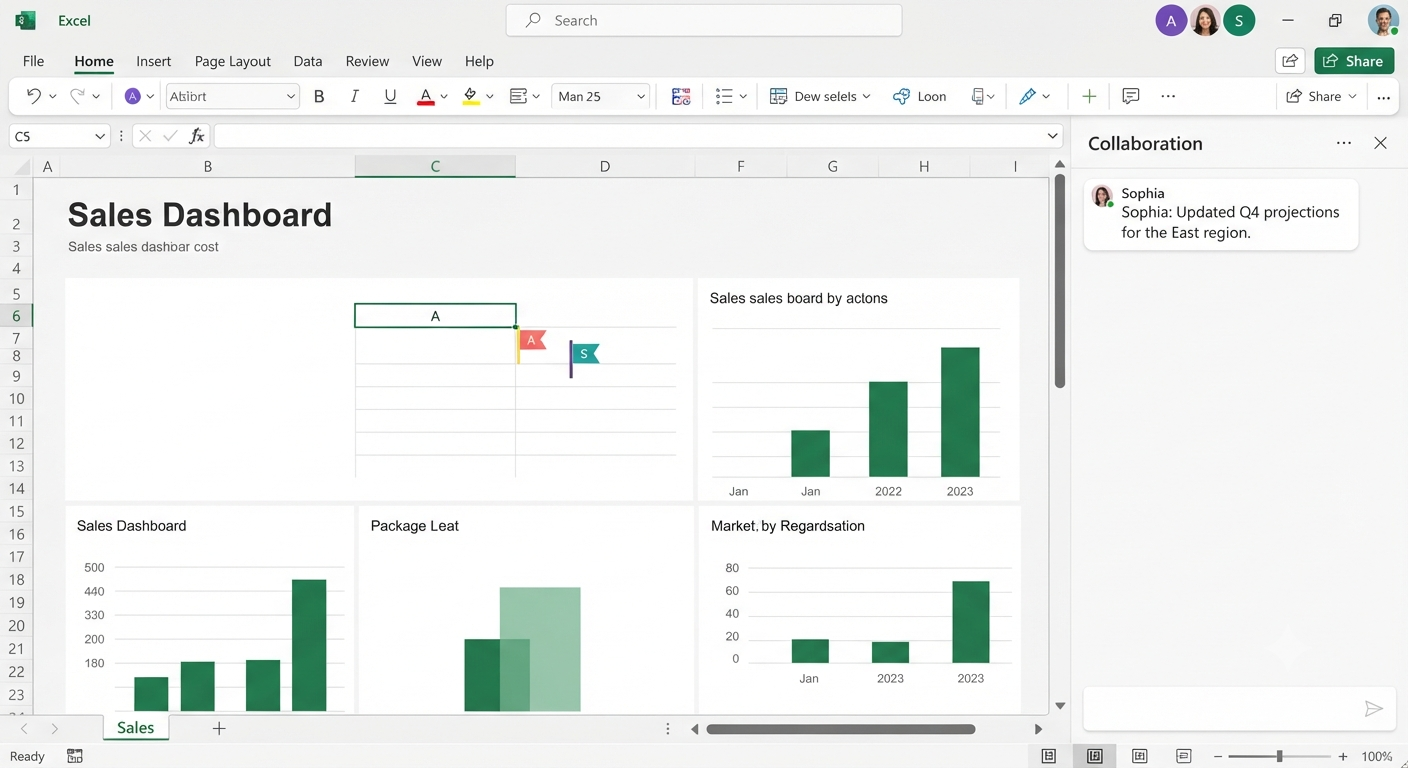
One of the biggest improvements in modern Excel is enhanced collaboration through Microsoft 365.
Users can now work together more effectively with features such as:
- Real-time co-authoring
- Improved sharing controls
- Version history
- Comments and mentions
- Cloud-based file access
With files stored on OneDrive or SharePoint, multiple users can edit the same workbook simultaneously without creating multiple copies.
This makes Excel more suitable for remote teams and organizations that require efficient collaboration.
Enhanced Data Analysis Capabilities
Excel 2023 improvements continue to strengthen its position as a data analysis tool.
Users benefit from:
- Faster calculations
- Improved data connections
- Better integration with Power Query
- Enhanced PivotTable functionality
- More efficient large-data processing
These enhancements allow professionals to analyze complex datasets more quickly and accurately.
Dynamic Array Improvements
Dynamic arrays have transformed how users create formulas in Excel. Instead of manually copying formulas across multiple cells, Excel can automatically expand results into neighboring cells.
Popular dynamic array functions include:
- FILTER
- SORT
- UNIQUE
- SEQUENCE
- RANDARRAY
These functions simplify complex calculations and reduce the need for complicated formulas.
FILTER Function
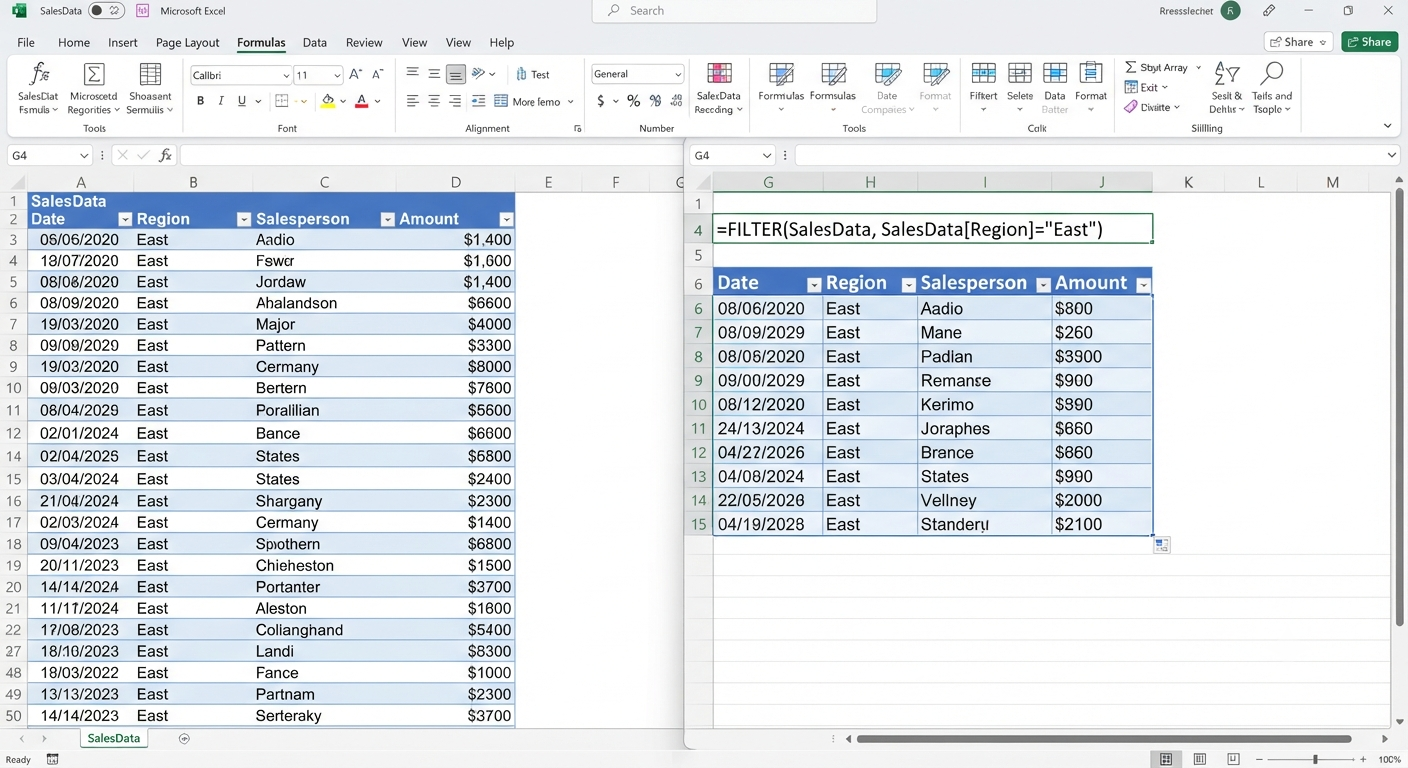
The FILTER function allows users to extract specific information from a dataset automatically.
Example:
=FILTER(A2:D100,B2:B100="Sales")This creates a dynamic list based on specified conditions.
New and Improved Excel Functions
Microsoft continues expanding Excel’s formula library.
Some useful functions available in modern Excel versions include:
XLOOKUP
XLOOKUP provides a more flexible alternative to VLOOKUP.
Benefits include:
- Searching in any direction
- Easier error handling
- More readable formulas
Example:
=XLOOKUP(A2,ProductList[ID],ProductList[Price])LET Function
The LET function allows users to assign names to calculations inside formulas.
Advantages include:
- Improved readability
- Better performance
- Easier formula management
TEXTSPLIT Function
TEXTSPLIT makes separating text data much easier.
It can divide information based on:
- Commas
- Spaces
- Custom characters
This is especially useful when cleaning imported data.
Improved Power Query Experience
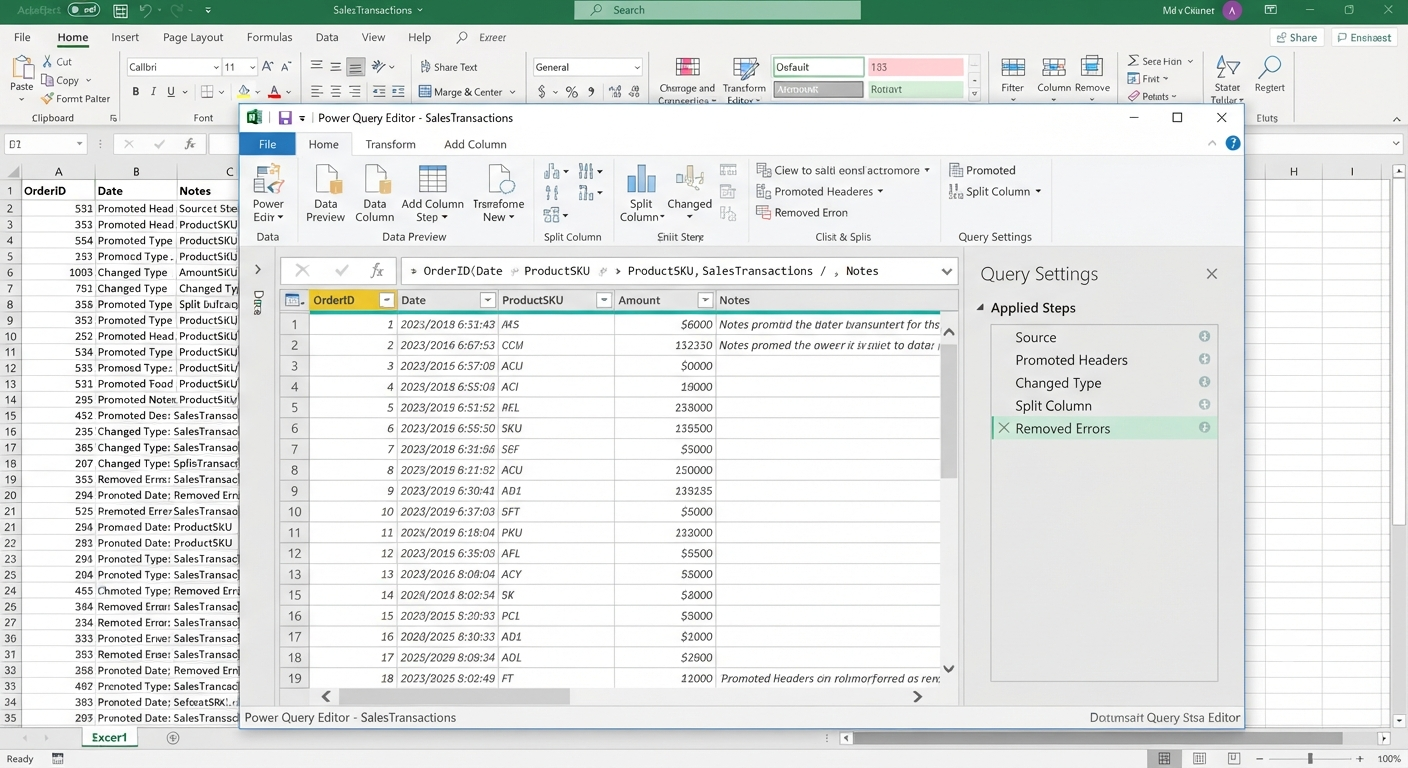
Power Query remains one of Excel’s most powerful data preparation tools.
In 2023, improvements focused on making data transformation easier and more efficient.
Power Query helps users:
- Import information from different sources
- Remove duplicate records
- Clean inconsistent data
- Combine multiple files
- Automate repetitive preparation tasks
Instead of manually editing thousands of rows, users can create repeatable transformation workflows.
Image: Excel Power Query data transformation window.
Better Integration with Power BI
Excel and Power BI continue to work closely together.
Users can:
- Analyze Excel data in Power BI
- Create interactive dashboards
- Connect to business data sources
- Share insights with teams
This integration helps organizations move from traditional spreadsheets toward modern business intelligence solutions.
Enhanced Data Visualization Tools
Visualizing information is essential for effective communication.
Excel 2023 improvements support better reporting through:
- More flexible charts
- Improved formatting controls
- Better dashboard design
- Interactive PivotCharts
Popular chart types include:
- Line charts
- Bar charts
- Scatter plots
- Combo charts
- Waterfall charts
Choosing the right visualization helps users communicate trends and patterns more clearly.
Improved Accessibility Features
Microsoft continues improving accessibility across Office applications.
Excel updates include features designed to support users with different accessibility needs.
Enhancements include:
- Better screen reader support
- Improved navigation
- Accessibility checking tools
- More customizable viewing options
These improvements make Excel easier for everyone to use.
Excel Integration with Microsoft Copilot and AI Features
Artificial intelligence has become a major focus across Microsoft products.
Modern Excel experiences increasingly include AI-powered assistance designed to help users:
- Analyze data
- Generate insights
- Understand trends
- Create formulas
- Summarize information
AI tools aim to make advanced spreadsheet tasks easier for users who may not have extensive technical knowledge.
Improved Performance and Stability
Performance improvements are often less visible but equally important.
Excel 2023 updates include enhancements that help with:
- Faster workbook loading
- Improved calculation speed
- Better memory management
- Increased stability with large files
These improvements are especially valuable for professionals working with complex spreadsheets.
Enhanced Template Collection
Excel continues expanding its built-in templates to help users start projects quickly.
Popular categories include:
- Budget planning
- Expense tracking
- Project management
- Business reports
- Calendars
- Invoices
- Personal finance
Templates reduce setup time and provide professionally designed starting points.
Security Improvements
Data security remains a priority for Microsoft.
Excel improvements include:
- Better file protection
- Enhanced cloud security
- Improved sharing permissions
- Stronger account protection through Microsoft 365
These features help protect sensitive business and personal information.
Tips for Getting the Most from Excel 2023
To maximize productivity:
Learn Advanced Functions
Understanding functions such as XLOOKUP, FILTER, LET, and dynamic arrays can significantly improve efficiency.
Use Tables Instead of Regular Ranges
Tables provide automatic expansion, filtering, and easier formula management.
Automate Repetitive Tasks
Use:
- Power Query
- Macros
- Office Scripts
Automation reduces manual work and improves accuracy.
Explore Microsoft 365 Features
Cloud storage, collaboration, and AI-powered tools can enhance the overall Excel experience.
Frequently Asked Questions
What are the biggest Excel improvements in 2023?
The major improvements include enhanced collaboration, better data analysis tools, dynamic arrays, new functions, improved Power Query capabilities, and stronger integration with Microsoft 365 services.
Is Excel 2023 different from Excel in Microsoft 365?
Excel updates are delivered continuously through Microsoft 365. Users with Microsoft 365 subscriptions typically receive new features more frequently than users with one-time purchase versions.
Are new Excel functions available on all platforms?
Feature availability may vary depending on whether you use Excel on Windows, Mac, the web, or mobile devices.
Is Excel still useful for professional data analysis?
Yes. With features such as Power Query, Power Pivot, PivotTables, and advanced formulas, Excel remains a powerful tool for professional analysis.
Should beginners learn the new Excel features?
Yes. Modern features such as dynamic arrays and improved formulas can make everyday tasks easier and help users work more efficiently.
Conclusion
Excel features introduced and improved in 2023 demonstrate Microsoft’s continued commitment to making spreadsheets smarter, faster, and easier to use. With enhanced collaboration, advanced formulas, improved data analysis tools, AI integration, and stronger security, Excel remains a leading productivity solution for individuals and organizations.