


A Step-by-Step Guide to Using Goal Seek in Excel
Microsoft Excel is well known for its powerful calculation and data analysis capabilities. While many users rely on formulas, functions, and charts for everyday tasks, Excel also includes advanced tools that can help solve complex business, financial, and mathematical problems. One of the most useful yet often overlooked features is Goal Seek.
Goal Seek allows you to work backward from a desired result to determine the input value needed to achieve that outcome. Instead of manually testing different values until you find the correct answer, Excel automatically performs the calculations and identifies the required input.
Whether you’re calculating loan payments, determining sales targets, estimating investment returns, or solving mathematical equations, Goal Seek can save time and improve accuracy. In this guide, you’ll learn what Goal Seek is, how it works, and how to use it effectively in a variety of real-world scenarios.
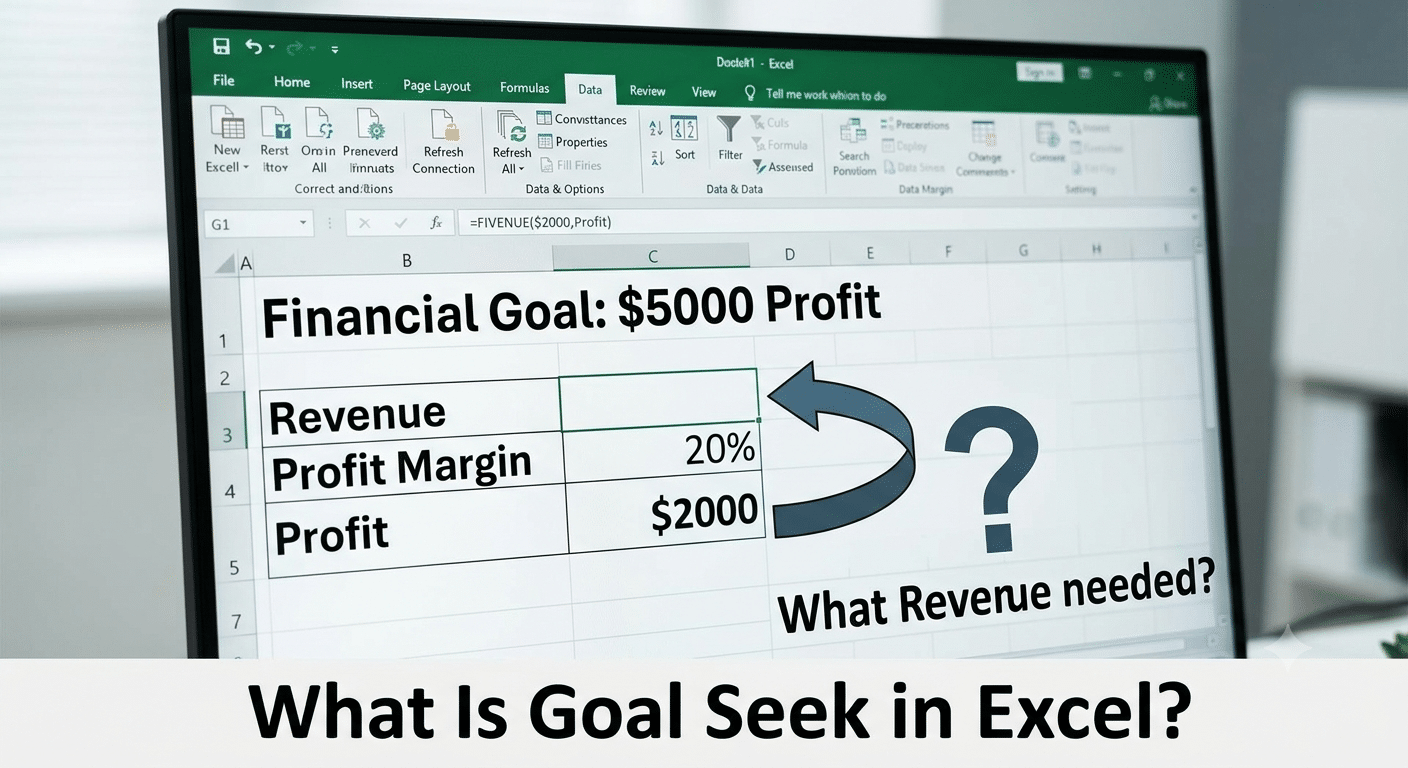
What Is Goal Seek in Excel?
Goal Seek is a built-in What-If Analysis tool that helps users find the value needed in one cell to produce a specific result in another cell.
In simple terms, Goal Seek answers questions like:
- What sales amount is needed to reach a profit target?
- What exam score is required to achieve a certain average?
- What interest rate would produce a desired loan payment?
- How many units must be sold to meet revenue goals?
Instead of changing values manually, Excel calculates the answer automatically.
How Goal Seek Works
Goal Seek requires three components:
1. Formula Cell
This is the cell containing the formula that produces the result.
2. Target Value
This is the result you want the formula to return.
3. Input Cell
This is the cell Excel adjusts to achieve the target result.
Goal Seek repeatedly changes the input value until the formula reaches the desired outcome.
Why Use Goal Seek?
Goal Seek is useful whenever you know the desired result but do not know the necessary input.
Benefits of Goal Seek
- Saves time
- Eliminates trial-and-error calculations
- Improves accuracy
- Simplifies financial analysis
- Supports decision-making
- Requires no advanced programming skills
For many business and financial scenarios, Goal Seek can provide answers in seconds.
Where to Find Goal Seek in Excel
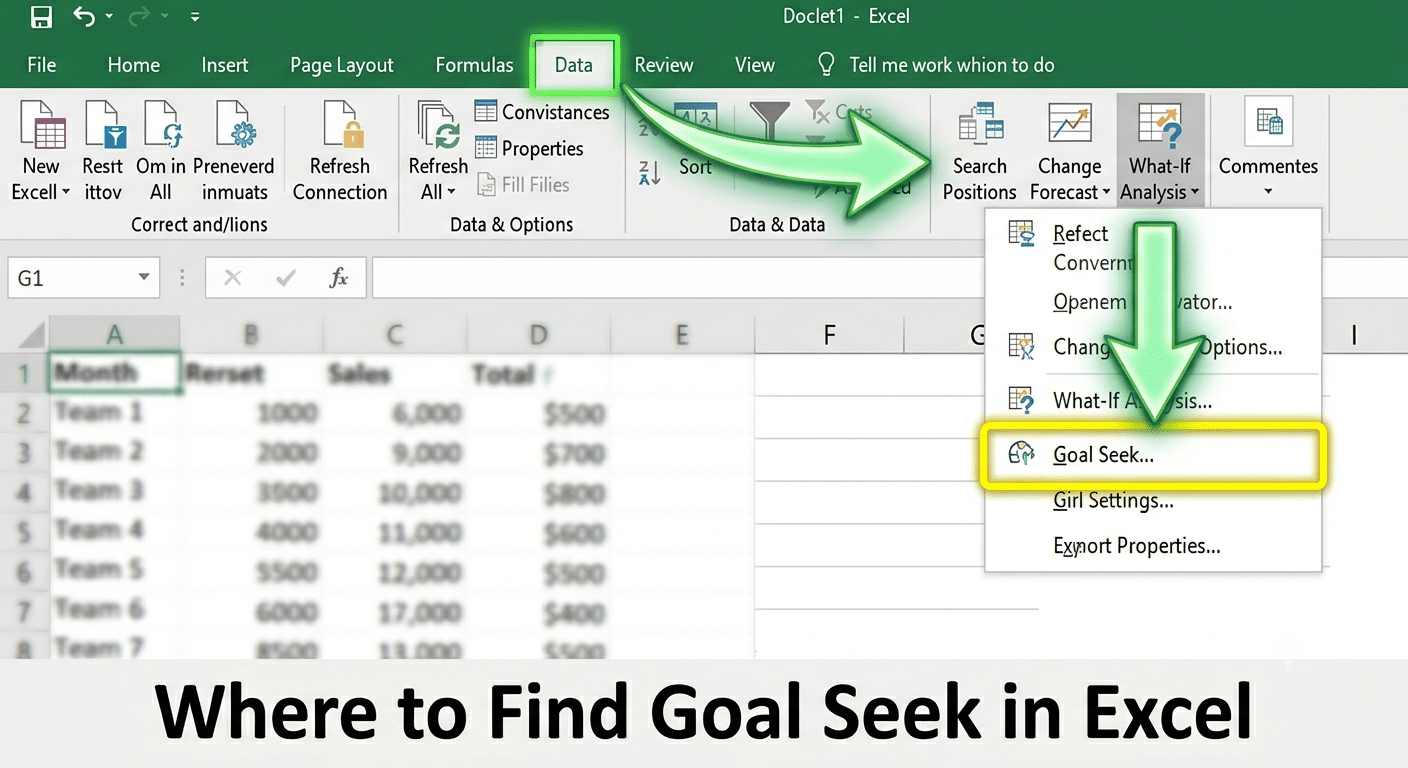
Goal Seek is part of Excel’s What-If Analysis tools.
Steps to Access Goal Seek
- Open Excel.
- Click the Data tab.
- Locate the Forecast or Data Tools section.
- Click:
What-If Analysis- Select:
Goal SeekThe Goal Seek dialog box will appear.
Understanding the Goal Seek Dialog Box
The Goal Seek window contains three fields.
Set Cell
The formula cell that contains the result you want to change.
To Value
The target value you want Excel to achieve.
By Changing Cell
The input cell Excel will modify.
After entering these values, Excel calculates the required input automatically.
Example 1: Finding Required Sales Revenue
Suppose your business earns a 20% profit margin.
Worksheet Setup
| Cell | Value |
|---|---|
| A1 | Sales Revenue |
| B1 | 10000 |
| A2 | Profit |
| B2 | =B1*20% |
Currently:
- Revenue = $10,000
- Profit = $2,000
You want profit to reach:
$5,000Using Goal Seek
- Open Goal Seek.
- Set Cell:
B2- To Value:
5000- By Changing Cell:
B1- Click OK.
Excel calculates the sales revenue required to generate $5,000 profit.
Example 2: Determining Required Exam Score
Imagine a student has completed three exams and wants a final course average of 85.
Scores
| Exam | Score |
|---|---|
| Test 1 | 80 |
| Test 2 | 82 |
| Test 3 | 88 |
| Final Exam | Unknown |
Average Formula
=AVERAGE(B1:B4)Goal
Achieve an average score of:
85Goal Seek can determine the exact final exam score needed to reach the target average.
Example 3: Loan Payment Analysis
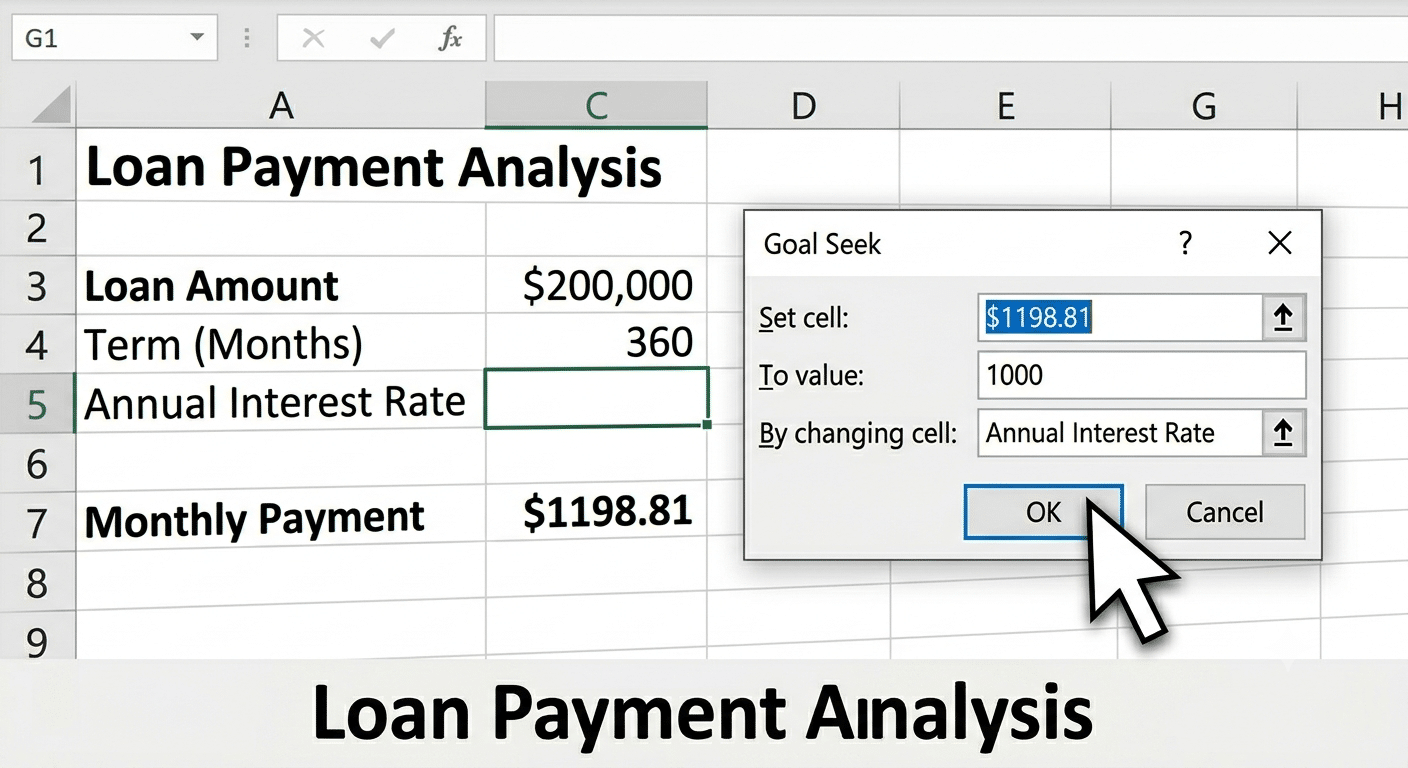
Goal Seek is commonly used in personal finance.
Scenario
You know:
- Loan amount
- Loan term
- Desired monthly payment
But you need to determine the interest rate.
Using the PMT function and Goal Seek together, Excel can calculate the required interest rate automatically.
Example 4: Break-Even Analysis
Businesses frequently use Goal Seek for break-even calculations.
Formula
Profit = Revenue - ExpensesSuppose:
- Fixed costs = $20,000
- Selling price per unit = $50
You want profit to equal:
0Goal Seek can calculate how many units must be sold to break even.
Using Goal Seek with Percentage Calculations
Goal Seek works effectively with percentage-based formulas.
Example
Suppose a marketing campaign currently converts:
2%of website visitors into customers.
You want:
100 customersGoal Seek can calculate the required website traffic needed to achieve that goal.
Using Goal Seek for Investment Planning
Investors often use Goal Seek to estimate future requirements.
Examples
- Required monthly contributions
- Desired retirement savings
- Target investment returns
- Portfolio growth goals
Goal Seek simplifies long-term financial planning by automating calculations.
Goal Seek in Budgeting
Budget analysts use Goal Seek to determine spending limits and savings targets.
Applications
- Household budgeting
- Business budgeting
- Department planning
- Expense reduction analysis
It helps identify which variables need adjustment to achieve financial objectives.
Goal Seek for Pricing Decisions
Businesses can use Goal Seek to determine optimal pricing.
Example
Suppose:
- Production cost = $25 per unit
- Desired profit = $50,000
Goal Seek can calculate the product price needed to achieve the target profit.
This supports pricing strategy and profitability analysis.
Goal Seek for Scientific and Engineering Calculations
Beyond business applications, Goal Seek can solve mathematical and scientific problems.
Examples
- Physics equations
- Engineering formulas
- Chemical concentration calculations
- Statistical modeling
As long as the relationship is represented by a formula, Goal Seek can often find the required input.
Limitations of Goal Seek
Although useful, Goal Seek has some limitations.
Only One Variable
Goal Seek can change only one input cell at a time.
If multiple variables need adjustment, Solver may be a better option.
Requires a Formula
The target cell must contain a formula.
Goal Seek cannot work with static values.
May Not Find Complex Solutions
Some formulas have multiple possible solutions or no valid solution at all.
In these cases, Goal Seek may not return the expected result.
Goal Seek vs. Solver
Many users confuse Goal Seek with Solver.
Goal Seek
- Changes one variable
- Easy to use
- Built into Excel
Solver
- Changes multiple variables
- Handles constraints
- Supports optimization problems
Goal Seek is ideal for simple scenarios, while Solver is better suited for advanced modeling.
Tips for Using Goal Seek Effectively
Verify Formulas First
Ensure formulas are working correctly before running Goal Seek.
Use Realistic Target Values
Unrealistic goals may produce invalid results.
Save Your Workbook
Goal Seek changes values automatically, so save your file beforehand.
Review Results Carefully
Always verify that the solution makes practical sense.
Common Goal Seek Errors
Goal Seek Cannot Find a Solution
This usually occurs when:
- The formula cannot reach the specified value.
- The target is unrealistic.
- Formula dependencies are incorrect.
Unexpected Results
Check:
- Formula references
- Cell formatting
- Data accuracy
Small errors can significantly affect results.
Practical Business Uses of Goal Seek
Goal Seek is widely used in professional environments.
Sales Forecasting
Determine required sales volume to meet revenue targets.
Profit Planning
Calculate revenue needed to achieve profit goals.
Cost Management
Identify expense reductions required to reach budget objectives.
Performance Measurement
Set measurable targets for teams and departments.
These applications make Goal Seek valuable for managers and analysts.
Advantages of Goal Seek
Fast Calculations
Results are generated almost instantly.
User-Friendly Interface
No advanced statistical knowledge is required.
Accurate Results
Excel performs calculations automatically.
Versatile Applications
Useful across finance, education, engineering, and business.
These advantages make Goal Seek one of Excel’s most practical analytical tools.
Final Thoughts
Excel’s Goal Seek function is a powerful yet easy-to-use tool that helps users solve problems by working backward from a desired result. Instead of relying on guesswork or manually testing different values, Goal Seek automatically calculates the input required to achieve a specific outcome.
Whether you’re planning a budget, analyzing loan payments, forecasting sales, calculating exam scores, performing break-even analysis, or solving mathematical equations, Goal Seek can simplify the process and save valuable time.