



Software Download Center
Official Installer Repository
Welcome to our self-service download portal. Use the tool below to access secure, high-speed download links for genuine Microsoft Office standalone applications. Whether you need the latest 2021 LTSC version or legacy releases (2019/2016), simply select your product to get the official ISO/IMG or EXE installer directly from our CDN.
1. Select Application
2. Select Version
Please select an app above to continue.
Installation & Activation Guide
Install the Application
Recommended: Mount the ISO File
Windows 10 and 11 can open this file natively. No extra software needed.
-
Mount the File: Right-click the downloaded file and select Mount.
(If “Mount” is missing, select Open with > Windows Explorer).
Alternatively, you can extract the file using 7-Zip or WinRAR. - Open Virtual Drive: A new drive will appear in “This PC”. Open it and find the Setup.exe file.
- Run as Administrator: Right-click on Setup.exe and select “Run as administrator”.
- SmartScreen Filter: If a blue “Windows protected your PC” window appears, click “More info” and then click the “Run anyway” button.
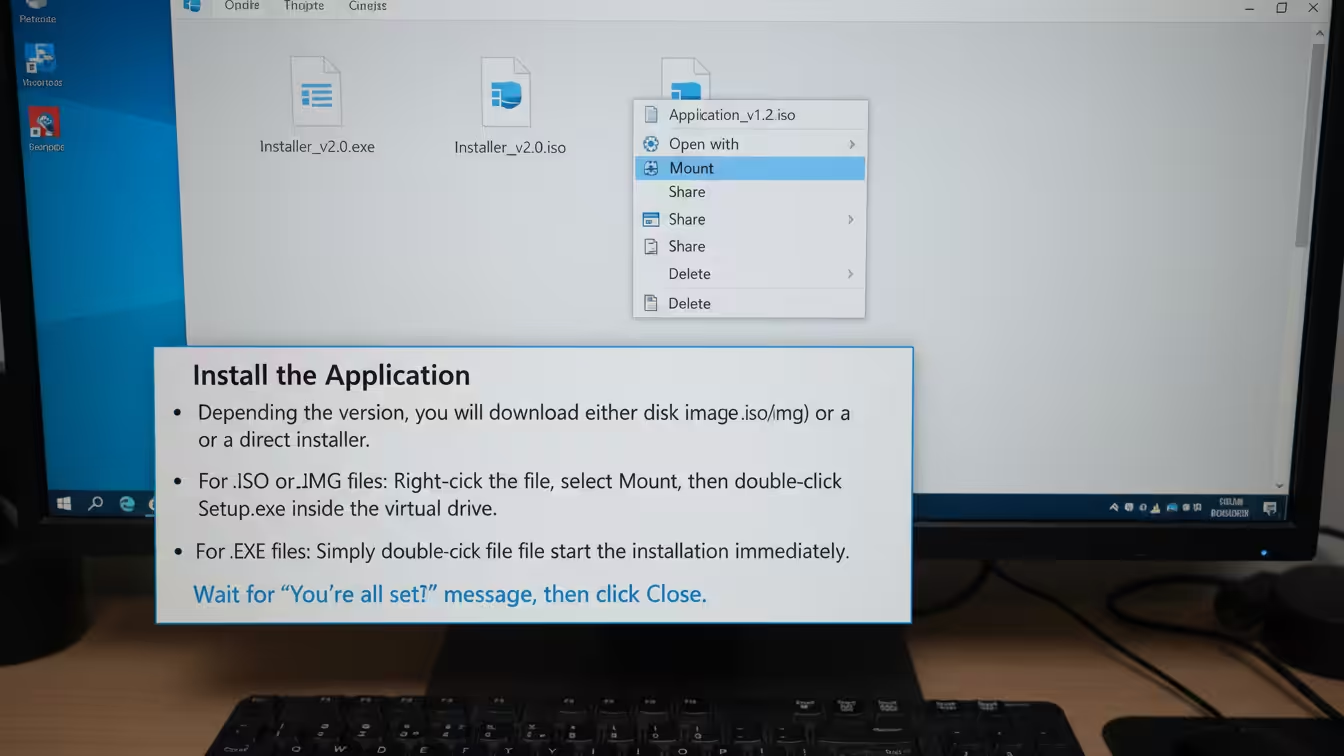
Figure 1: Right-click the downloaded file and select “Mount”
Activate License
Open the installed app (e.g., type “Word” in the Start Menu).
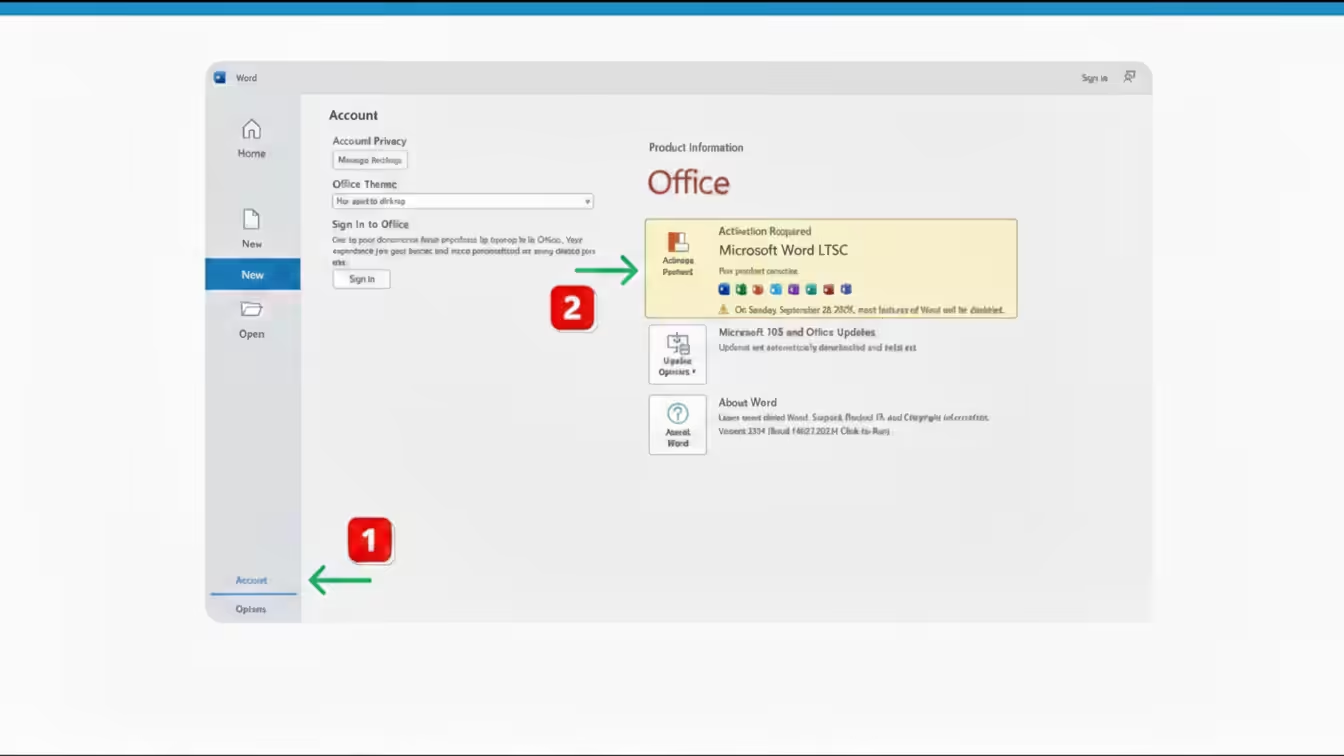
Figure 2: The activation window appearing when you first open the app
Need Help?
If you encounter errors (e.g., previous version conflicts), please use the Microsoft Support Tool to completely remove old Office installations before trying again.