


What Versions of Microsoft Office Support Windows 10?
Microsoft Office remains one of the most widely used productivity suites for home users, students, businesses, and organizations around the world. Whether you’re creating documents in Word, analyzing data in Excel, designing presentations in PowerPoint, or managing email with Outlook, choosing the right version of Office is essential for ensuring compatibility, security, and optimal performance.
If you’re using Windows 10, you may wonder which versions of Microsoft Office are fully compatible with the operating system. While many Office editions can run on Windows 10, some older versions have reached the end of support, while newer versions provide improved features, better security, and seamless integration with Microsoft 365 services.
This guide explains which Office versions work with Windows 10, their differences, and how to choose the best edition for your needs.
Why Office Compatibility Matters
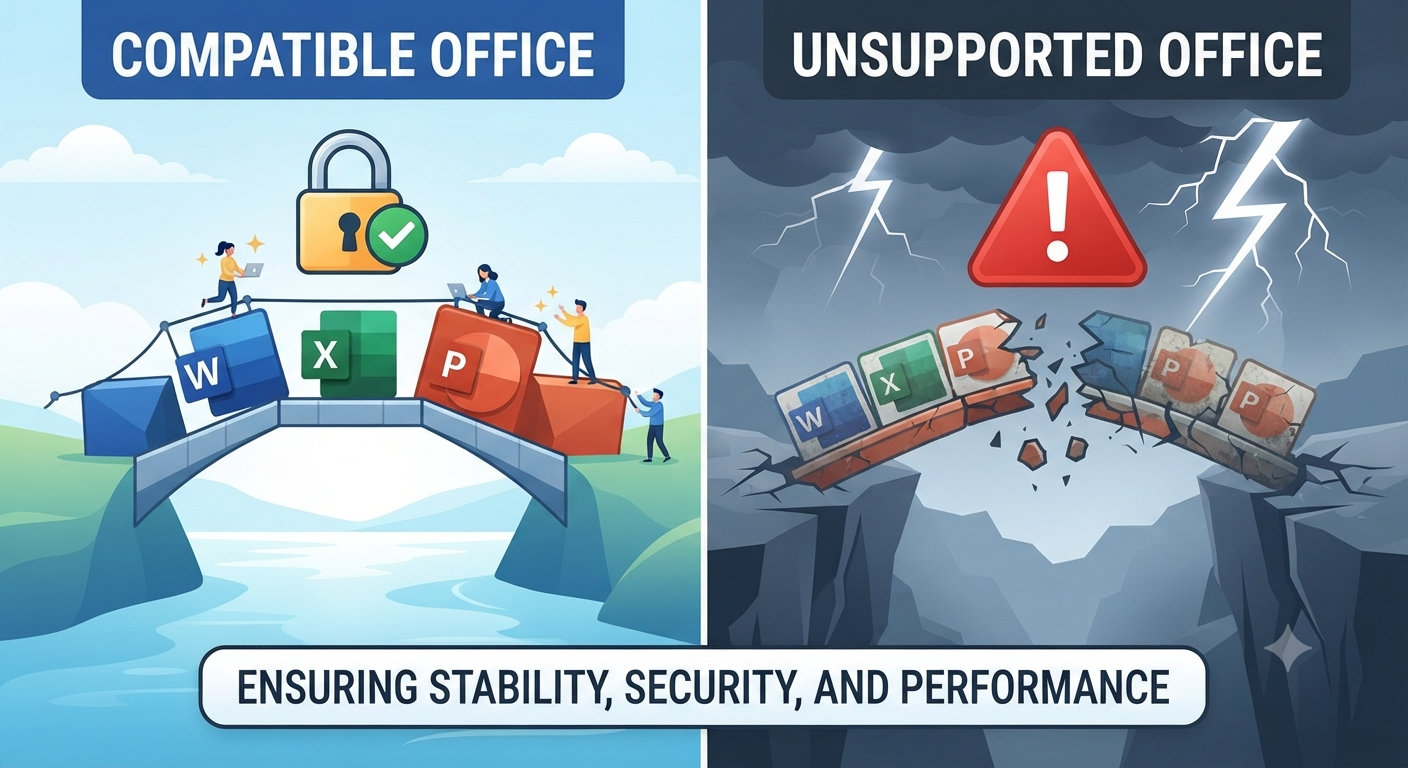
Installing a compatible version of Microsoft Office helps ensure:
- Stable performance
- Access to security updates
- Full feature availability
- Better file compatibility
- Improved integration with Windows
- Reduced installation and activation issues
Using an unsupported Office version may increase security risks and lead to compatibility problems with newer Windows updates.
Microsoft Office Versions Compatible with Windows 10
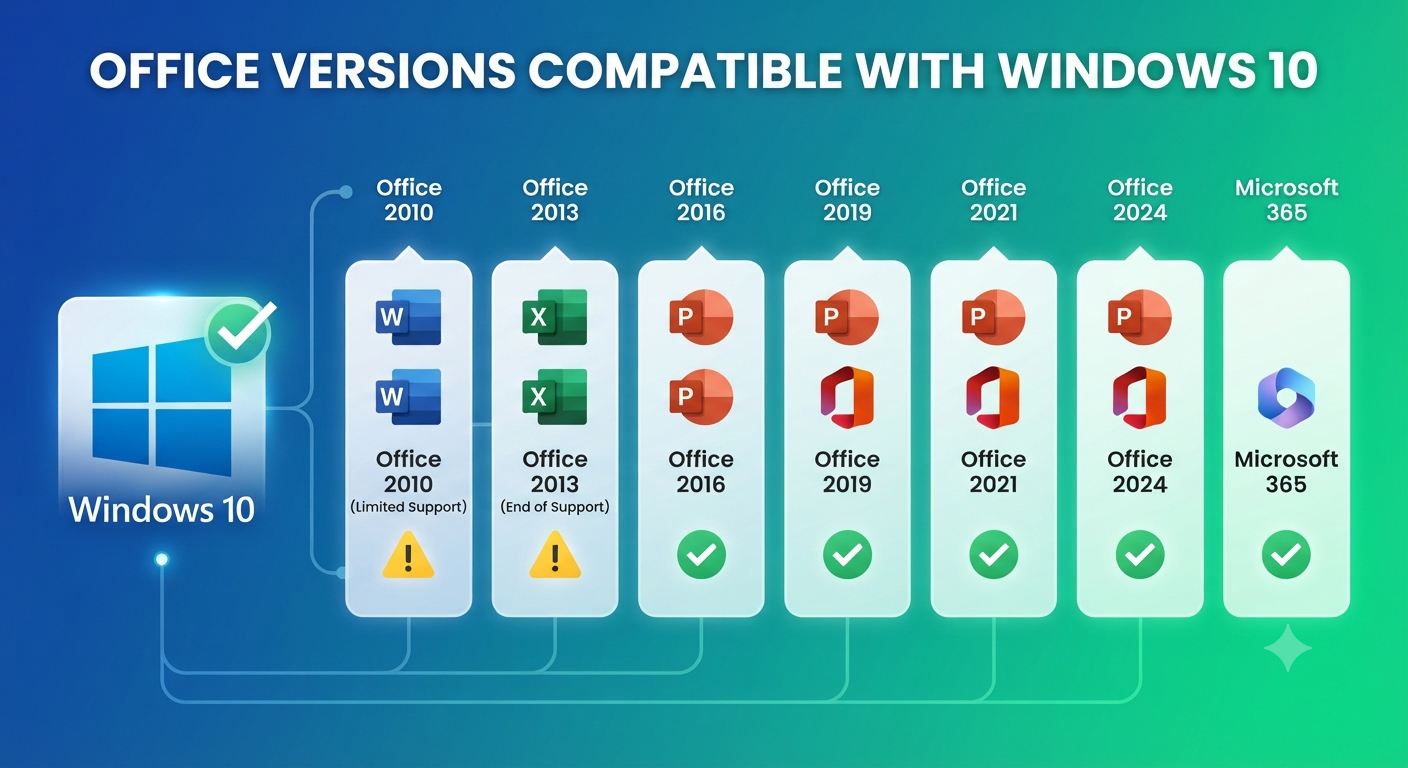
Windows 10 supports several versions of Microsoft Office, although the level of support and available features varies.
Common compatible versions include:
- Microsoft Office 2010 (limited support due to end of support)
- Microsoft Office 2013
- Microsoft Office 2016
- Microsoft Office 2019
- Microsoft Office 2021
- Microsoft Office 2024
- Microsoft 365
While many of these versions can run on Windows 10, newer editions generally provide the best experience.
Microsoft Office 2010
Office 2010 includes applications such as:
- Word
- Excel
- PowerPoint
- Outlook
- Access
- Publisher
Although Office 2010 can be installed on Windows 10, Microsoft ended support for this version in October 2020. This means it no longer receives security updates, bug fixes, or technical support.
For security reasons, upgrading to a newer version is recommended.
Microsoft Office 2013
Office 2013 introduced a redesigned interface and improved cloud integration.
Key features include:
- OneDrive support
- Touch-friendly interface
- PDF editing in Word
- Improved Excel analysis tools
Office 2013 is compatible with Windows 10. However, Microsoft ended extended support for Office 2013 in April 2023, so it no longer receives security updates.
Organizations still using this version should plan an upgrade.
Microsoft Office 2016
Office 2016 remains a popular choice for users who purchased a perpetual license.
Applications include:
- Word
- Excel
- PowerPoint
- Outlook
- OneNote
- Access (selected editions)
Office 2016 works well with Windows 10 and introduced features such as:
- Improved collaboration
- Better cloud integration
- Enhanced Excel charts
- Smart Lookup
Support availability depends on Microsoft’s lifecycle policies, so users should review the official support dates.
Microsoft Office 2019
Office 2019 offers numerous improvements over previous versions.
New capabilities include:
- Better inking features
- Enhanced PowerPoint transitions
- Improved Excel functions
- Updated visual design
- Performance enhancements
Office 2019 is fully compatible with Windows 10 and is suitable for users who prefer a one-time purchase instead of a subscription.
Microsoft Office 2021
Office 2021 continues the perpetual-license model while adding features introduced in Microsoft 365.
Enhancements include:
- Real-time collaboration support
- Modern Excel functions
- Improved performance
- Better accessibility
- Updated user interface
It works seamlessly with Windows 10 and is ideal for users who do not require continuous feature updates.
Microsoft Office 2024
Office 2024 is Microsoft’s latest perpetual-license version for users who prefer to make a one-time purchase instead of subscribing to Microsoft 365.
Some improvements include:
- Updated interface elements
- Enhanced performance
- Improved accessibility tools
- New Excel functions and enhancements
- Better compatibility with modern Microsoft services
Office 2024 is compatible with supported versions of Windows 10, provided your device meets Microsoft’s system requirements.
Microsoft 365
Microsoft 365 is Microsoft’s subscription-based productivity platform.
Depending on the plan, it includes:
- Word
- Excel
- PowerPoint
- Outlook
- OneNote
- Access (Windows only)
- Publisher (Windows only)
- OneDrive cloud storage
- Ongoing feature updates
Unlike perpetual-license versions, Microsoft 365 continuously receives:
- New features
- Security updates
- Performance improvements
- AI-powered productivity enhancements
For most users, Microsoft 365 offers the most complete and up-to-date Office experience.
32-Bit vs 64-Bit Office on Windows 10
Most Office versions are available in both 32-bit and 64-bit editions.
32-Bit Office
Advantages include:
- Better compatibility with older add-ins
- Supports legacy VBA solutions
- Compatible with older business applications
64-Bit Office
Benefits include:
- Better performance with large Excel files
- Improved memory utilization
- Enhanced handling of complex calculations
- Better support for large databases
Microsoft generally recommends the 64-bit edition for modern systems unless compatibility with older software requires the 32-bit version.
Minimum System Requirements
Although requirements vary slightly between versions, most recent Office editions require:
- Windows 10
- Modern processor
- At least 4 GB RAM (64-bit recommended)
- Several gigabytes of available storage
- Internet connection for activation and updates (where applicable)
Always verify the official system requirements before installation.
Choosing the Right Office Version
The best version depends on your needs.
For Home Users
Microsoft 365 or Office 2024 offers excellent functionality and compatibility.
For Students
Microsoft 365 provides collaboration tools and cloud storage that support learning from anywhere.
For Businesses
Microsoft 365 Business plans include advanced security, device management, and collaboration features suitable for professional environments.
For Users Who Prefer One-Time Purchases
Office 2024 or Office 2021 are good choices because they require a single upfront payment without recurring subscription fees.
How to Check Which Office Version You Have
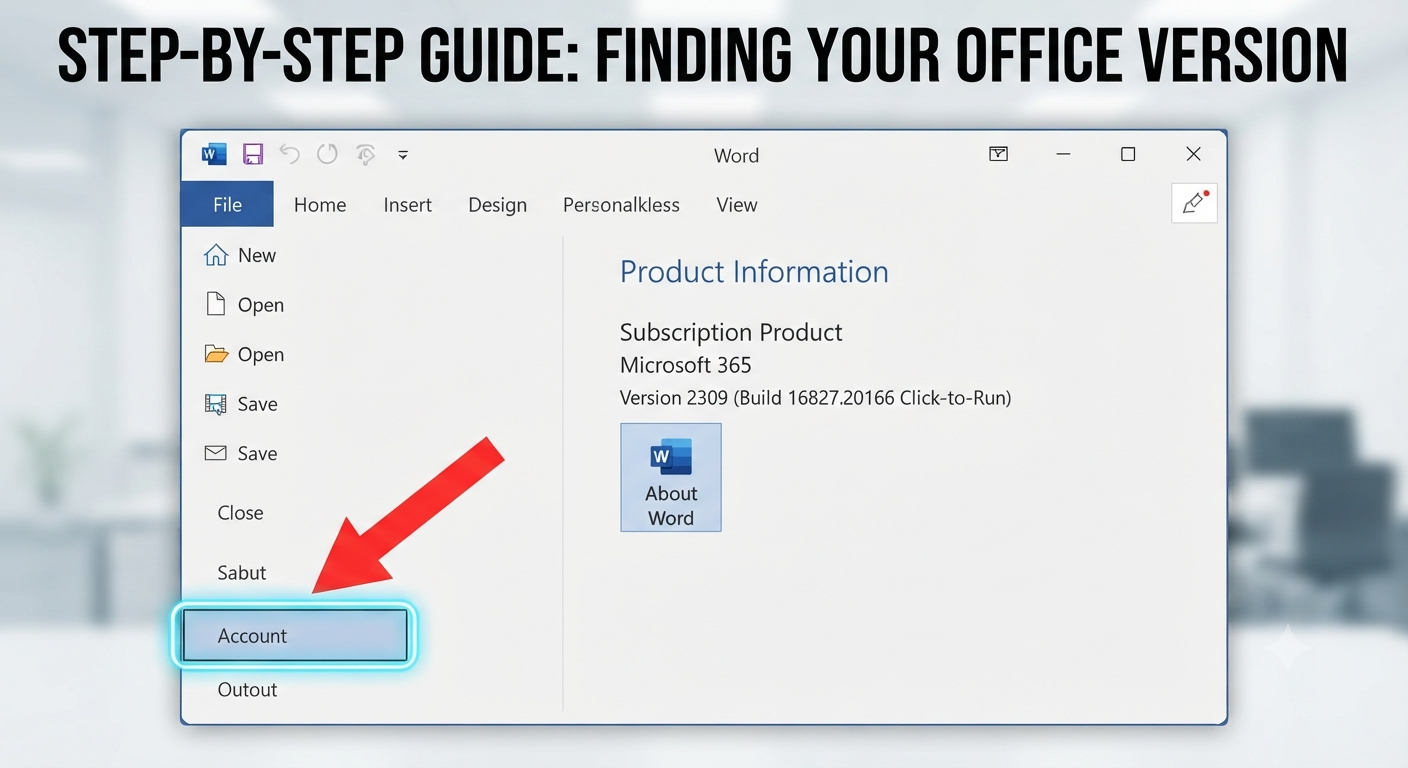
To identify your installed Office version:
- Open Word or Excel.
- Click File.
- Select Account.
- Review the Product Information section.
You’ll see:
- Product name
- Version
- Build number
- 32-bit or 64-bit edition
Image: Microsoft Office Account page displaying version details.
Should You Upgrade Older Versions?
If you’re using Office 2010 or Office 2013, upgrading is strongly recommended because these versions have reached the end of support.
Benefits of upgrading include:
- Improved security
- Better compatibility
- Modern collaboration tools
- New Excel functions
- Enhanced performance
- Access to AI-powered productivity features in Microsoft 365
Upgrading helps protect your data and ensures continued compatibility with Windows updates.
Common Compatibility Issues
Some users may encounter issues when installing Office.
Typical causes include:
- Existing Office installations
- Different 32-bit and 64-bit editions
- Corrupted installation files
- Unsupported operating systems
Removing previous Office installations before installing a new version often resolves these problems.
Frequently Asked Questions
Can Office 2010 run on Windows 10?
Yes, Office 2010 can generally run on Windows 10. However, Microsoft ended support for Office 2010 in October 2020, so it no longer receives security updates or technical support.
Is Microsoft 365 better than Office 2021 or Office 2024?
It depends on your needs. Microsoft 365 provides continuous feature updates, cloud services, collaboration tools, and additional benefits such as OneDrive storage. Office 2021 and Office 2024 are one-time purchases that receive security and maintenance updates but not ongoing feature additions.
Can I install multiple Office versions on Windows 10?
Installing multiple Office versions on the same computer is generally not recommended because it may lead to compatibility or activation issues. If multiple versions are necessary, consult Microsoft’s official guidance for supported installation scenarios.
Which Office version is best for Windows 10?
For most users, Microsoft 365 offers the best overall experience due to continuous updates, enhanced security, and the latest productivity features. Users who prefer a perpetual license may find Office 2024 or Office 2021 to be excellent alternatives.
Do I need a Microsoft account to install Office?
Most modern versions of Office require a Microsoft account for activation, license management, and access to cloud-based services. Some perpetual-license editions also use a Microsoft account for activation and future reinstalls.
Conclusion
Windows 10 supports a wide range of Microsoft Office versions, from Office 2010 to the latest Microsoft 365 subscriptions and perpetual-license editions such as Office 2024. While older versions may still function, they often lack modern security protections and no longer receive official support.