


Windows 11 Unveiled: New Features, Design Changes, and Improvements
Windows 11 represents Microsoft’s next generation of desktop operating systems, introducing a refreshed design, improved productivity features, stronger security, and better support for modern hardware. While Windows 10 remains familiar to millions of users, Windows 11 delivers a more streamlined experience with enhancements designed for today’s hybrid work, gaming, creativity, and multitasking needs.
If you’re wondering whether it’s time to move beyond Windows 10, this guide explores the most important new features in Windows 11, highlights the key differences between the two operating systems, and explains why many users are making the switch.
Why Windows 11 Matters
Windows 11 is more than a visual update. Microsoft redesigned many aspects of the operating system to improve usability, performance, and security.
Some major goals of Windows 11 include:
- Simplified user interface
- Better multitasking
- Enhanced gaming
- Stronger security
- Improved productivity
- Modern hardware support
- Deeper Microsoft 365 integration
These improvements make Windows 11 well-suited for both personal and professional use.
A Fresh, Modern User Interface
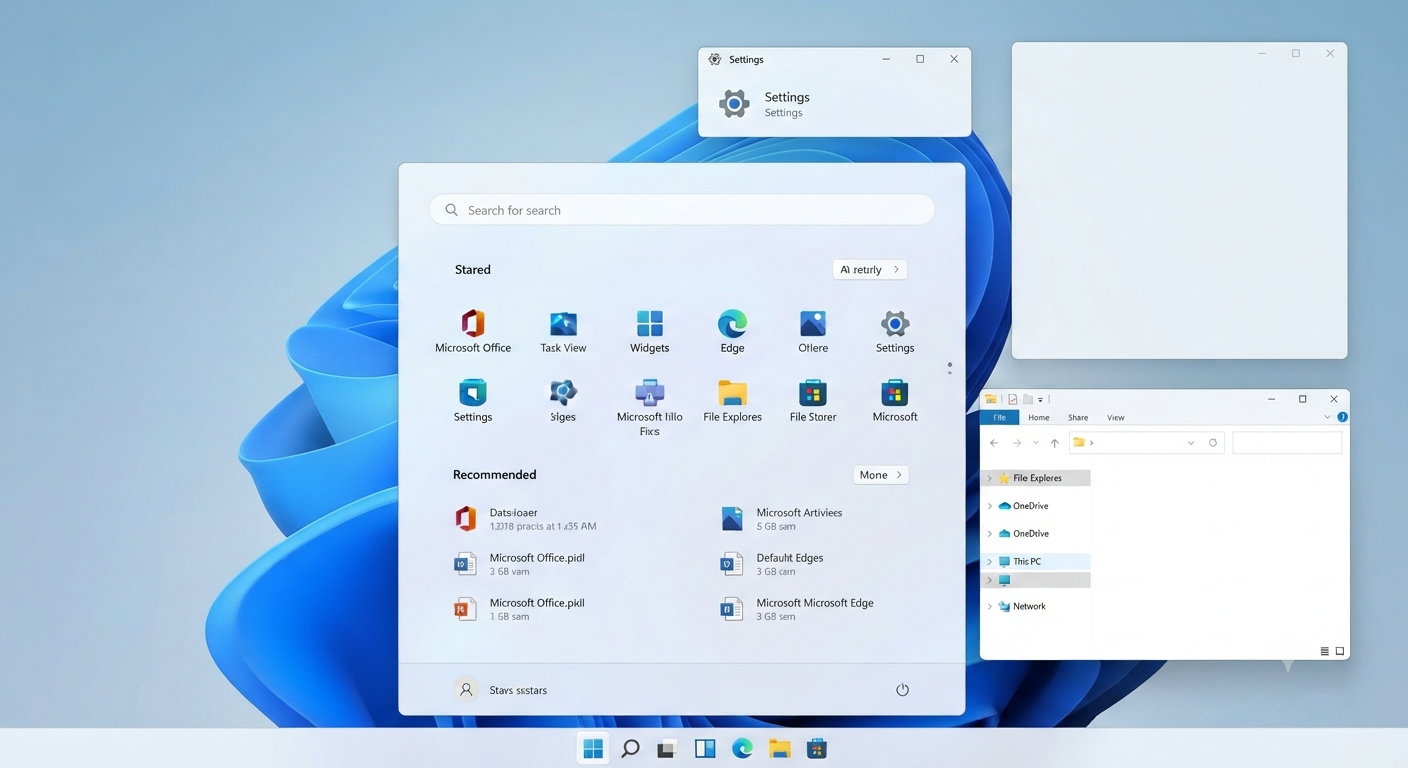
The most noticeable change in Windows 11 is its redesigned interface.
New visual improvements include:
- Centered Start menu
- Rounded window corners
- Updated icons
- Refreshed system sounds
- Cleaner animations
- Simplified context menus
The overall appearance feels more modern while maintaining the familiar Windows experience.
Image: Windows 11 desktop with the centered Start menu.
Redesigned Start Menu
The Start menu has received one of its biggest redesigns in years.
Unlike Windows 10, Windows 11 removes Live Tiles and introduces a simpler layout.
The new Start menu includes:
- Pinned applications
- Recommended files
- Quick search
- Easy access to recently opened documents
The cleaner design reduces clutter and improves navigation.
Improved Taskbar
Windows 11 also modernizes the taskbar.
Enhancements include:
- Center-aligned icons by default
- Updated notification area
- Simplified Quick Settings
- Better touch support
Users who prefer a more traditional appearance can adjust some taskbar settings to better match their workflow.
Snap Layouts and Snap Groups
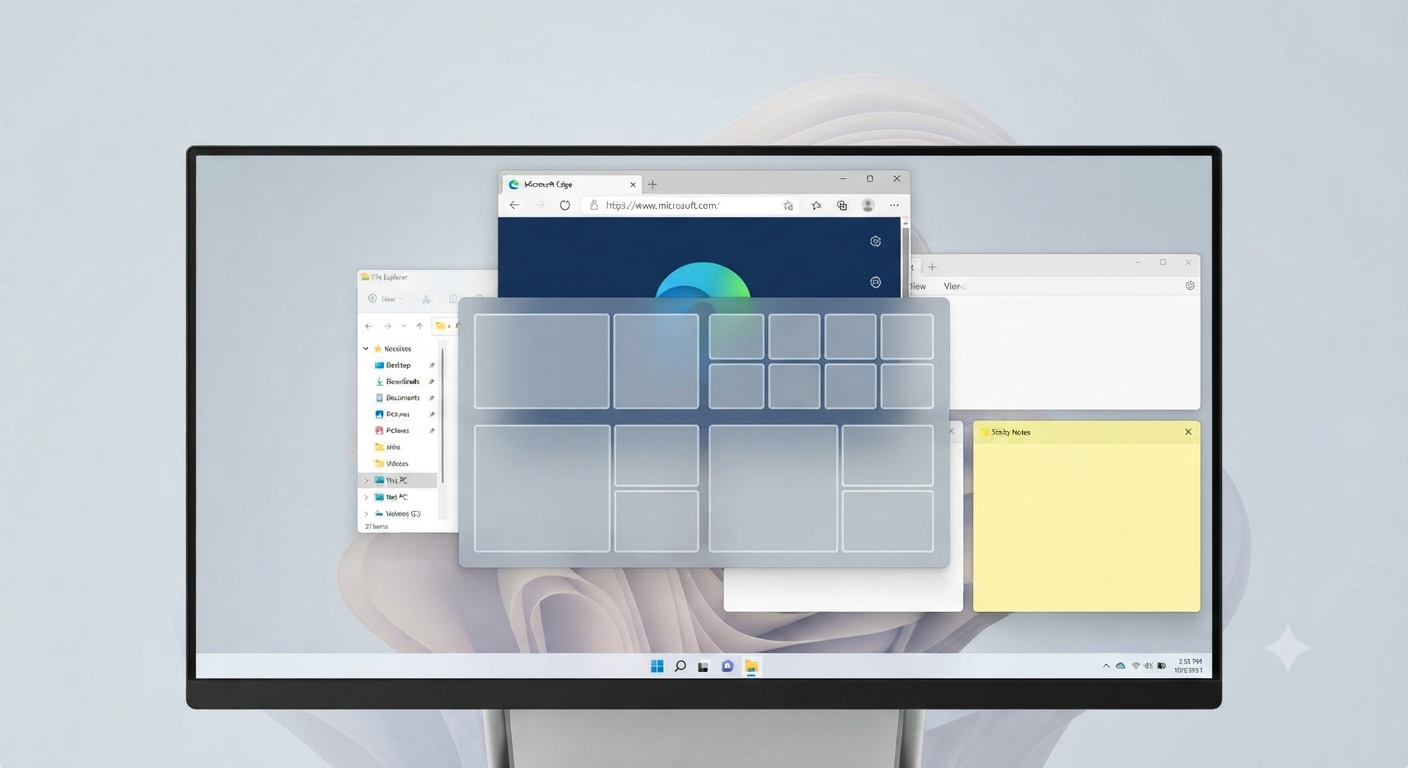
One of Windows 11’s most valuable productivity features is Snap Layouts.
Snap Layouts allow users to organize multiple application windows into predefined arrangements.
Common layouts include:
- Two-column view
- Three-column layout
- Grid arrangements
- Large-and-small window combinations
Snap Groups remember these layouts, making it easier to restore multitasking sessions after switching applications or reconnecting external displays.
Virtual Desktops
Virtual Desktops have become more flexible in Windows 11.
Users can:
- Create multiple desktops
- Assign different wallpapers
- Separate work and personal activities
- Switch between desktops quickly
This feature helps keep projects organized and reduces desktop clutter.
Improved File Explorer
Windows 11 includes an updated File Explorer with a cleaner interface.
New improvements include:
- Simplified toolbar
- Better icon design
- Improved navigation
- Enhanced search performance
- Better integration with OneDrive
The streamlined interface helps users find files more efficiently.
Widgets for Personalized Information
Windows 11 introduces a dedicated Widgets panel.
Widgets can display:
- Weather
- News
- Calendar
- To-do lists
- Sports scores
- Traffic updates
Users can personalize the widget feed based on their interests.
Microsoft Store Improvements
The Microsoft Store has been redesigned to improve application discovery and installation.
Enhancements include:
- Faster performance
- Better search functionality
- More application categories
- Improved developer support
- Easier updates
The updated Store offers a more user-friendly experience than its predecessor.
Better Gaming Features
Windows 11 introduces several gaming improvements inspired by Xbox technology.
Notable features include:
- Auto HDR
- DirectStorage support
- Improved Game Mode
- Xbox integration
These enhancements can improve loading times, graphics quality, and overall gaming performance on compatible hardware.
Enhanced Security
Security is a major focus of Windows 11.
The operating system introduces stronger default protections through features such as:
- TPM 2.0 support
- Secure Boot
- Windows Hello
- Virtualization-based security
- Microsoft Defender improvements
These technologies help protect devices from modern cybersecurity threats.
Performance Improvements
Windows 11 includes numerous under-the-hood optimizations.
Benefits may include:
- Faster startup times
- Better memory management
- Improved battery efficiency
- Enhanced background process handling
- Better overall responsiveness
Actual performance improvements depend on hardware configuration and workload.
Improved Touch and Pen Support
Windows 11 offers a better experience for touchscreen devices.
Enhancements include:
- Larger touch targets
- Improved gestures
- Better virtual keyboard
- Enhanced pen support
- Improved handwriting recognition
These updates benefit tablet users and convertible laptops.
Voice Typing
Voice typing has become more capable in Windows 11.
Users can dictate text in supported applications using built-in speech recognition.
Benefits include:
- Faster document creation
- Hands-free typing
- Improved accessibility
Voice typing continues to improve through Microsoft’s ongoing updates.
Microsoft Teams Integration
Windows 11 includes deeper integration with Microsoft Teams.
Users can quickly:
- Start chats
- Join meetings
- Make calls
- Collaborate with colleagues
Depending on your region and current Windows version, the exact communication apps integrated into Windows may vary as Microsoft continues to update its services.
OneDrive Integration
Cloud storage is more deeply integrated into Windows 11.
Users can:
- Automatically back up files
- Synchronize folders
- Access documents across devices
- Restore files when needed
This helps protect important data while supporting remote work.
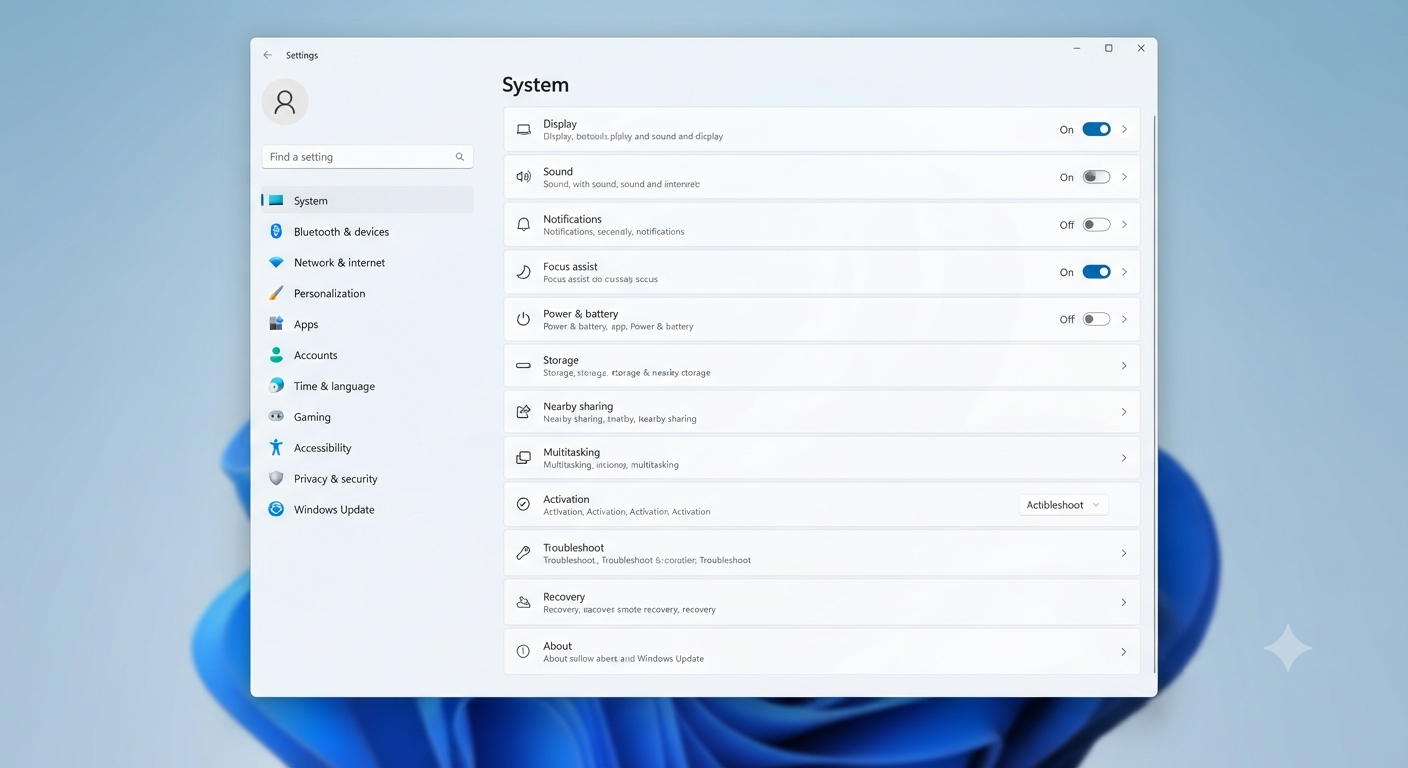
Improved Settings App
The Settings app has been redesigned for easier navigation.
Categories are clearly organized, making it simpler to locate options for:
- System
- Bluetooth
- Network
- Personalization
- Privacy
- Windows Update
The updated layout reduces the need to switch between Control Panel and Settings for common tasks.
Accessibility Improvements
Microsoft continues improving accessibility in Windows 11.
New and enhanced features include:
- Live Captions
- Voice Access
- Better Narrator functionality
- Improved color filters
- Enhanced accessibility settings
These improvements make Windows more inclusive for users with diverse accessibility needs.
Windows Update Improvements
Windows 11 updates are designed to be:
- Smaller
- Faster
- Less disruptive
Background installation has been optimized to reduce interruptions during everyday work.
System Requirements
Windows 11 has stricter hardware requirements than Windows 10.
Typical requirements include:
- Compatible 64-bit processor
- TPM 2.0
- Secure Boot support
- Minimum RAM requirements
- Sufficient storage space
Before upgrading, use Microsoft’s compatibility tools to verify whether your device meets the necessary requirements.
Should You Upgrade from Windows 10?
Whether upgrading is the right choice depends on your device and workflow.
Windows 11 may be a good option if you want:
- Modern design
- Better multitasking
- Stronger security
- Improved gaming
- Enhanced collaboration
- Continued access to the latest Windows features
If your PC meets the system requirements and your applications are compatible, Windows 11 offers a refined and future-focused computing experience.
Frequently Asked Questions
Is Windows 11 faster than Windows 10?
Windows 11 includes performance optimizations that may improve responsiveness, startup times, and memory management on supported hardware. Actual performance depends on your computer’s specifications and how you use it.
Can I upgrade from Windows 10 to Windows 11 for free?
Eligible Windows 10 devices that meet Microsoft’s hardware requirements have generally been able to upgrade to Windows 11 without purchasing a separate Windows license. Check Microsoft’s current upgrade policies and availability for your device.
Will my applications work on Windows 11?
Most applications that run on Windows 10 also work on Windows 11. However, it’s recommended to verify compatibility for specialized or older software before upgrading.
Do I need TPM 2.0 for Windows 11?
Yes. TPM 2.0 is one of Microsoft’s core hardware requirements for supported Windows 11 installations. It enhances system security by supporting features such as encryption and secure authentication.
Is Windows 10 still supported?
Microsoft provides support for Windows 10 according to its published lifecycle policy. Users should review Microsoft’s official support documentation to understand important dates and available update options.
Conclusion
Windows 11 brings far more than a visual refresh. With its redesigned interface, powerful multitasking tools, enhanced security, improved gaming capabilities, and deeper cloud integration, it represents a significant evolution of the Windows operating system.