


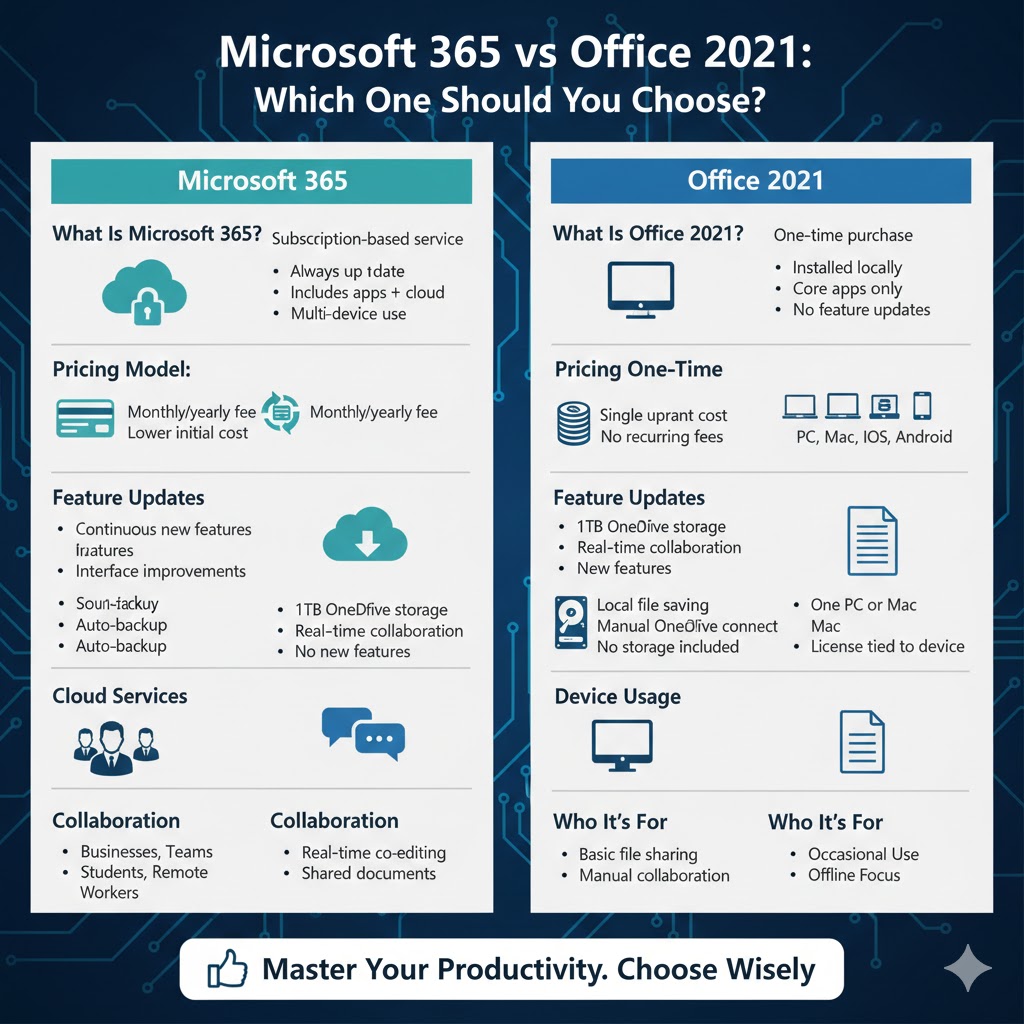
Microsoft 365 vs Office 2021: Which One Should You Choose?
Microsoft offers two main ways to use its popular productivity apps like Word, Excel, PowerPoint, and Outlook: Office 2021 and Microsoft 365. At first glance, they may seem very similar because they include many of the same core applications. However, there are important differences in pricing, features, updates, cloud services, and long-term value.
Understanding these differences is essential before deciding which option is right for you. In this in-depth guide, we’ll clearly explain how Office 2021 and Microsoft 365 differ, who each option is best suited for, and how to choose the one that fits your needs.
What Is Office 2021?
Office 2021 is a one-time purchase version of Microsoft Office. You pay once, install it on your computer, and use it indefinitely without recurring fees.
Key Characteristics of Office 2021
-
One-time payment
-
Installed locally on your PC or Mac
-
Includes core apps such as Word, Excel, PowerPoint, and Outlook
-
Does not receive major feature updates
-
Rece attachment software for security and bug fixes only
-
No built-in cloud storage subscription
Office 2021 is similar to older Office versions like Office 2016 or Office 2019, but with newer features and a more modern interface.
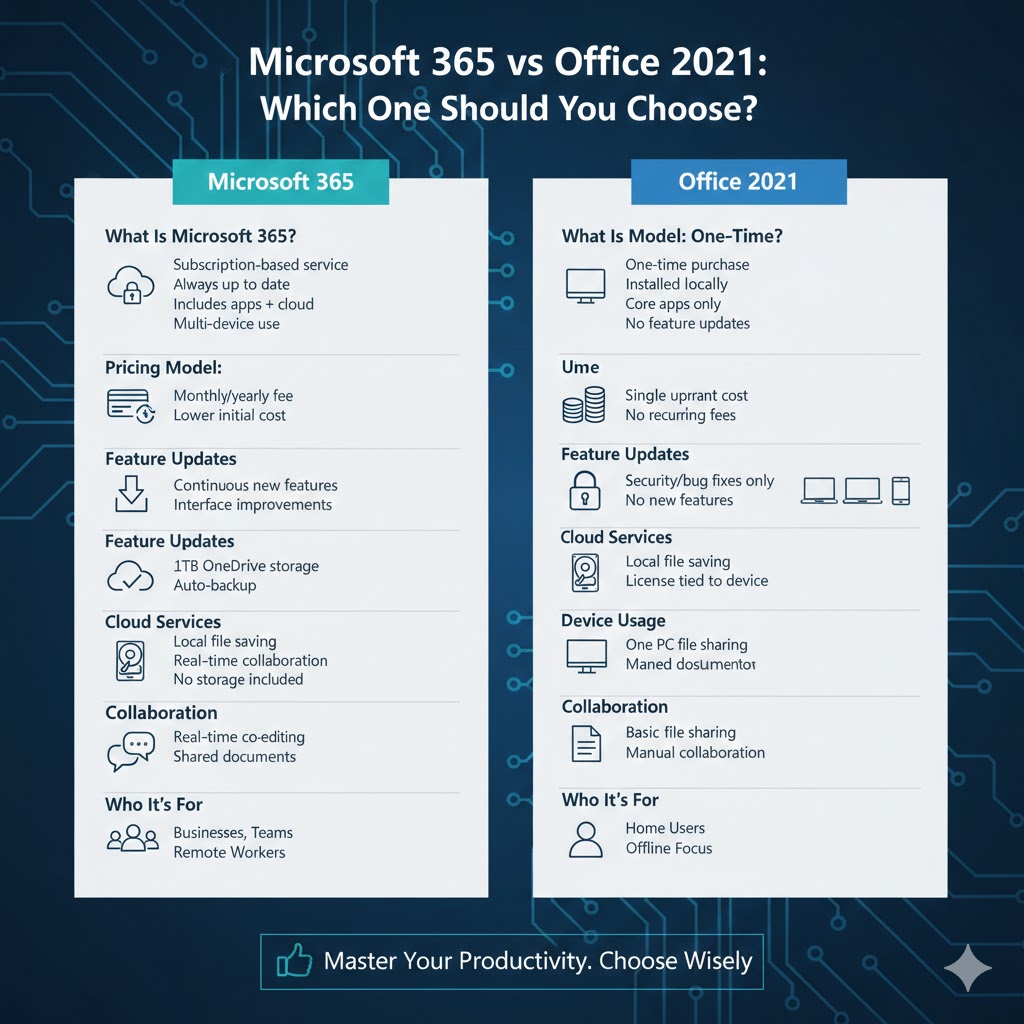
What Is Microsoft 365?
Microsoft 365 is a subscription-based service that provides access to Microsoft Office apps along with cloud services and continuous updates.
Key Characteristics of Microsoft 365
-
Monthly or yearly subscription
-
Always up to date with the latest features
-
Includes Word, Excel, PowerPoint, Outlook, and more
-
Comes with OneDrive cloud storage
-
Works across multiple devices
-
Includes collaboration and sharing tools
Microsoft 365 is designed for users who want the newest tools and seamless cloud integration.
Pricing Model: One-Time Purchase vs Subscription
One of the biggest differences between Office 2021 and Microsoft 365 is how you pay.
Office 2021 Pricing
Office 2021 requires a single upfront payment. Once purchased, you can use the software forever on that device.
Advantages:
-
No recurring costs
-
Predictable expense
-
Good for long-term offline use
Disadvantages:
-
Higher upfront cost
-
No access to future feature upgrades
Microsoft 365 Pricing
Microsoft 365 requires ongoing payments, either monthly or annually.
Advantages:
-
Lower initial cost
-
Continuous feature updates
-
Includes additional services
Disadvantages:
-
Ongoing subscription fees
-
Access ends if subscription expires
Your budget and preference for recurring payments play a major role in choosing between the two.
Feature Updates and Improvements
This is one of the most important distinctions.
Office 2021 Updates
Office 2021 receives:
-
Security updates
-
Bug fixes
It does not receive new features after release. What you buy is what you keep for the lifetime of the product.
Microsoft 365 Updates
Microsoft 365 receives:
-
New features regularly
-
Interface improvements
-
Performance enhancements
-
New tools added over time
This makes Microsoft 365 ideal for users who want cutting-edge features and ongoing innovation.
Cloud Services and Storage
Cloud integration is a major advantage of Microsoft 365.
Office 2021 and the Cloud
Office 2021:
-
Can save files locally
-
Can connect to OneDrive manually
-
Does not include cloud storage
Cloud features are limited and optional.
Microsoft 365 Cloud Benefits
Microsoft 365 includes:
-
OneDrive cloud storage (usually 1 TB per user)
-
Real-time collaboration
-
Automatic cloud backups
-
Easy file sharing across devices
This is especially useful for teamwork, remote work, and data backup.
Device Usage and Flexibility
How many devices you can use matters, especially for households or professionals.
Office 2021 Device Limitations
-
Licensed for one PC or Mac
-
Cannot be easily transferred
-
Mobile app features may be limited
Office 2021 works best for users with a single computer.
Microsoft 365 Device Flexibility
-
Can be installed on multiple devices
-
Works on PCs, Macs, tablets, and phones
-
Same account syncs across devices
This makes Microsoft 365 ideal for users who switch between devices frequently.
Collaboration and Sharing Features
Collaboration is another major difference.
Office 2021 Collaboration
Office 2021 supports:
-
Basic file sharing
-
Manual collaboration using email or shared folders
Real-time co-authoring is limited compared to Microsoft 365.
Microsoft 365 Collaboration Tools
Microsoft 365 offers:
-
Real-time co-editing
-
Shared documents in the cloud
-
Version history
-
Integrated comments and suggestions
These tools are extremely helpful for teams, students, and remote workers.
Security and Support
Both options are secure, but their long-term support differs.
Office 2021 Security
Office 2021 receives:
-
Regular security updates
-
Limited support lifespan
Once support ends, no further updates are provided.
Microsoft 365 Security
Microsoft 365 provides:
-
Continuous security improvements
-
Advanced protection features
-
Ongoing support
This ensures stronger protection over time.
Which Option Is Better for Home Users?
For home users, the decision depends on usage style.
Office 2021 is a good choice if you:
-
Prefer a one-time payment
-
Use Office occasionally
-
Don’t need cloud storage
-
Use one computer only
Microsoft 365 is better if you:
-
Use Office frequently
-
Want cloud backups
-
Use multiple devices
-
Share files with family members
Which Option Is Better for Businesses and Students?
Microsoft 365 is generally better for:
-
Businesses
-
Teams
-
Students
-
Remote workers
Its collaboration tools, cloud services, and continuous updates provide better long-term value for these users.
Office 2021 may still work for:
-
Small offices with fixed needs
-
Systems without internet access
-
Environments requiring stability over change
Long-Term Value Comparison
Over time, cost and features can shift the balance.
Office 2021:
-
Lower cost if used for many years
-
No new features
Microsoft 365:
-
Higher cost over long periods
-
Constant improvements and added services
Your expected usage duration plays a key role.
Internet Requirements
Office 2021:
-
Works fully offline after installation
-
Internet needed only for activation and updates
Microsoft 365:
-
Requires internet for full cloud functionality
-
Offline use is possible, but limited
If you often work without internet access, Office 2021 may be more suitable.
Making the Right Choice
Ask yourself these questions:
-
Do I prefer a one-time purchase or a subscription?
-
Do I need cloud storage and collaboration tools?
-
Do I use multiple devices?
-
Do I want the latest features as soon as they’re released?
Your answers will clearly point to the better option.
Final Thoughts
The difference between Office 2021 and Microsoft 365 goes far beyond pricing. Office 2021 is a stable, one-time purchase solution best suited for users who want simplicity and long-term offline use. Microsoft 365, on the other hand, offers continuous updates, cloud services, and flexibility that make it ideal for modern workflows.