Tag: DNS settings

How to Resolve Wi-Fi Disconnection Issues on a Laptop – 2025

How to Resolve Wi-Fi Disconnection Issues on a Laptop – 2025

How to Resolve Wi-Fi Disconnection Issues on a Laptop Frequent Wi-Fi disconnections can be extremely frustrating, especially when you’re in the middle of an important meeting, downloading a file, or streaming content. If your laptop keeps disconnecting from Wi-Fi networks without warning, there are several possible causes—ranging from power settings and driver issues to router…

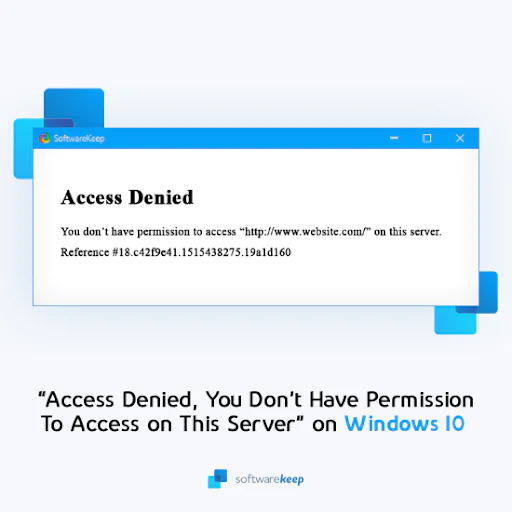
“Permission Denied: You Are Not Authorized to Access This Server” – 2025

“Permission Denied: You Are Not Authorized to Access This Server” – 2025

“Permission Denied: You Are Not Authorized to Access This Server” Many Windows users encounter the frustrating “Access Denied, You Don’t Have Permission to Access on This Server” error while trying to visit certain websites. This issue can arise due to network settings, browser configurations, or server-side restrictions. Fortunately, there are multiple ways to fix this…

How to Resolve the “Windows Cannot Communicate with the Device or Resource” Error – 2025

How to Resolve the “Windows Cannot Communicate with the Device or Resource” Error – 2025

How to Resolve the “Windows Cannot Communicate with the Device or Resource” Error This error typically occurs when your Windows computer cannot establish a connection with a specific device or resource, such as a network server or website. The error often signals issues with DNS settings, network adapters, or proxy configurations. Let’s explore the causes…

How to Resolve the ERR CONNECTION REFUSED Error in Google Chrome – 2025

How to Resolve the ERR CONNECTION REFUSED Error in Google Chrome – 2025

How to Resolve the ERR CONNECTION REFUSED Error in Google Chrome The “ERR_CONNECTION_REFUSED” error in Google Chrome typically appears when Chrome is unable to connect to a website, even though other sites may be accessible. This can be frustrating, especially when you’re unsure of what’s causing the problem. Fortunately, there are several effective troubleshooting steps…