


Top Software to Unlock iPhone Passcodes Easily
Getting locked out of an iPhone can be stressful, especially when you rely on your device for daily communication, work, or study. Whether you forgot your passcode or the device is disabled after multiple incorrect attempts, regaining access becomes a priority. Fortunately, several iPhone unlocker software solutions are designed to help users restore access in legitimate situations.
This guide introduces some of the most popular iPhone unlocker tools, explains how they work, and helps you choose the right option based on your needs.
What Is iPhone Unlocker Software?
iPhone unlocker software refers to desktop applications that help users regain access to their iOS devices when they are locked out. These tools typically work by reinstalling or restoring the iOS system, which removes the passcode and allows the device to be set up again.
It’s important to understand that unlocking a device often results in data loss unless you have a backup. These tools are mainly used in situations such as:
- Forgotten passcodes
- Disabled iPhones
- Second-hand devices that are locked
- Screen lock issues after multiple failed attempts
Always ensure you are the rightful owner of the device before using such software.
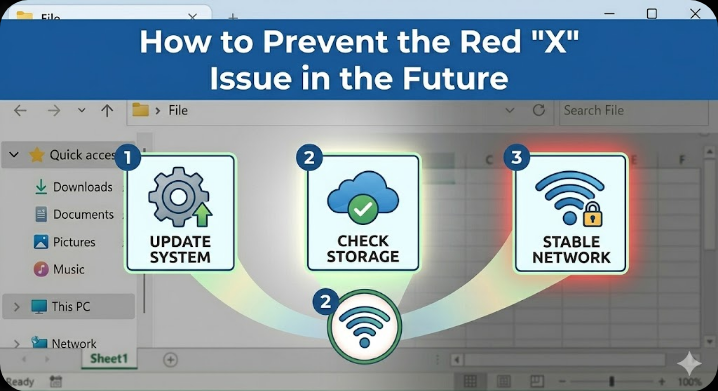
Key Features to Look For in iPhone Unlock Tools
Before choosing any software, it’s helpful to know what features matter most.
Ease of Use
A good unlocker should have a simple interface with clear instructions, especially for beginners.
Compatibility
Make sure the tool supports your iPhone model and iOS version, including the latest updates.
Unlock Capabilities
Most tools offer features like:
- Removing screen passcodes
- Unlocking Apple ID (in certain conditions)
- Bypassing Screen Time restrictions
Safety and Reliability
Choose software from reputable developers to reduce risks like malware or device damage.
Customer Support
Reliable support can be helpful if you encounter issues during the process.
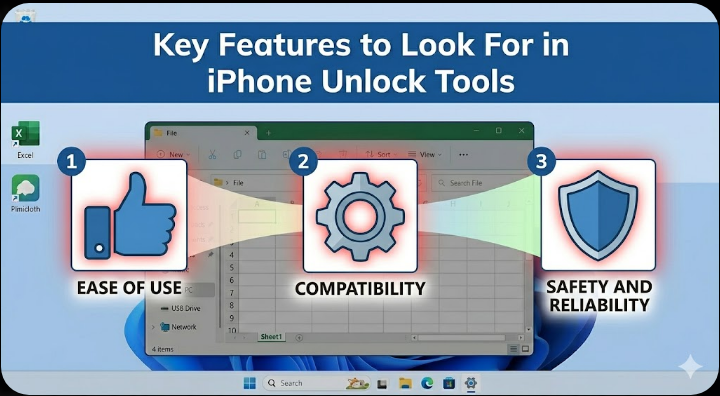
Best iPhone Unlocker Software Available
Below are some of the most widely used iPhone unlock tools today.
Tenorshare 4uKey
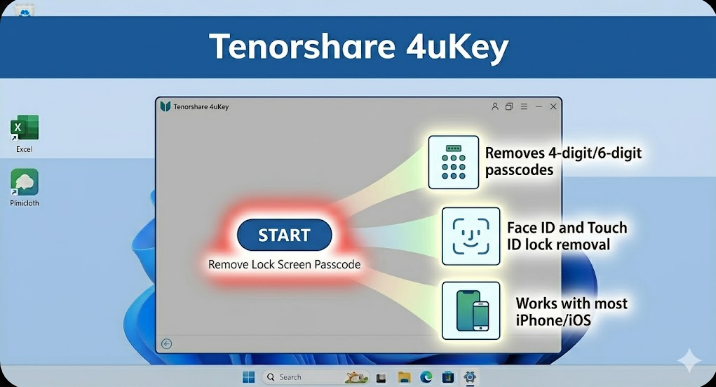
Tenorshare 4uKey is one of the most popular iPhone unlocking tools thanks to its user-friendly design and broad compatibility.
Key Features
- Removes 4-digit and 6-digit passcodes
- Supports Face ID and Touch ID lock removal
- Works with most iPhone models and iOS versions
- Simple step-by-step unlocking process
Pros
- Easy for beginners
- Fast unlocking process
- Regular updates
Cons
- Requires a paid license for full features
- Data will be erased during unlocking
This tool is a solid choice for users looking for a straightforward and reliable solution.
iMyFone LockWiper
iMyFone LockWiper is another well-known tool that offers multiple unlocking modes.
Key Features
- Unlocks screen passcodes quickly
- Removes Apple ID under certain conditions
- Supports various iOS devices
- Clean and intuitive interface
Pros
- Multiple unlock options
- Good success rate
- Suitable for non-technical users
Cons
- Some features may not work on newer iOS versions
- Paid software
LockWiper is especially useful if you need more flexibility beyond just passcode removal.
Dr.Fone – Screen Unlock (iOS)
Developed by Wondershare, Dr.Fone is a comprehensive toolkit with an iPhone unlocking feature.
Key Features
- Removes lock screen passcodes
- Compatible with a wide range of iPhones
- Includes additional tools for data recovery and system repair
Pros
- Trusted brand
- Multi-functional software
- Clear instructions
Cons
- Higher price compared to some alternatives
- Some features require separate purchases
Dr.Fone is ideal if you want an all-in-one solution for iOS management.
Joyoshare iPasscode Unlocker
Joyoshare iPasscode Unlocker is a lightweight but effective tool for unlocking iPhones.
Key Features
- Removes various screen locks
- Supports multiple iOS versions
- Simple interface
Pros
- Fast performance
- Easy setup
- Reliable unlocking process
Cons
- Limited extra features
- Requires payment
This tool works well for users who prefer a minimal and focused solution.
AnyUnlock by iMobie
AnyUnlock is a versatile iPhone unlocker with a wide range of features.
Key Features
- Unlocks screen passcodes
- Bypasses Apple ID (with limitations)
- Removes Screen Time passcodes
- Supports SIM lock removal (on supported devices)
Pros
- Feature-rich
- Modern interface
- Regular updates
Cons
- Some advanced features may not work in all scenarios
- Premium pricing
AnyUnlock is suitable for users who want more advanced unlocking capabilities.
Important Things to Know Before Using Unlock Software
While these tools can be helpful, there are some important considerations.
Data Loss Is Likely
Most unlocking methods erase your data. Always check if you have a backup in iCloud or iTunes before proceeding.
Apple ID Restrictions
If the device is linked to an Apple ID (Activation Lock), unlocking the screen does not remove that account. You may still need the original credentials.
Legal and Ethical Use
Only use these tools on devices you own or have permission to access. Unauthorized unlocking may violate laws or terms of service.
Device Compatibility
Not all features work on every iOS version. Always verify compatibility before purchasing software.
Alternative Methods to Unlock an iPhone
If you prefer not to use third-party tools, there are official methods available.
Using iTunes or Finder
You can restore your iPhone using a computer, which removes the passcode but also erases data.
Using iCloud (Find My iPhone)
If enabled, you can erase your device remotely and set it up again.
Contacting Apple Support
Apple may assist you if you can verify ownership of the device.
These options are safer but may require more steps or account access.
How to Choose the Right Tool
Selecting the best iPhone unlocker depends on your situation.
- If you want simplicity, choose tools like 4uKey or Joyoshare
- If you need more features, consider AnyUnlock or Dr.Fone
- If you’re on a budget, compare pricing and trial options
Focus on reliability and compatibility rather than just cost.
Final Thoughts
iPhone unlocker software can be a practical solution when you’re locked out of your device. Tools like Tenorshare 4uKey, iMyFone LockWiper, Dr.Fone, Joyoshare, and AnyUnlock offer different features to suit various needs.
However, it’s important to use these tools responsibly and understand their limitations. Data loss, compatibility issues, and Apple ID restrictions are all factors to consider before proceeding.
Related articles
How to Fix Wi-Fi Disconnecting Issues on Windows 10